Linktree pioneered the link-in-bio concept in 2016. Over 50 million people now use it. That scale is a credibility signal, but it has also made the free plan increasingly restrictive as the company pushes users toward paid tiers. In 2026, the gap between what Linktree's free plan offers and what its competitors give away for nothing has grown significantly.
This post covers the tools we actually evaluated, what each one's free plan genuinely includes, who each one is built for, and what you give up by choosing it. No filler. No affiliate-driven rankings.
What Linktree's Free Plan Actually Gives You in 2026
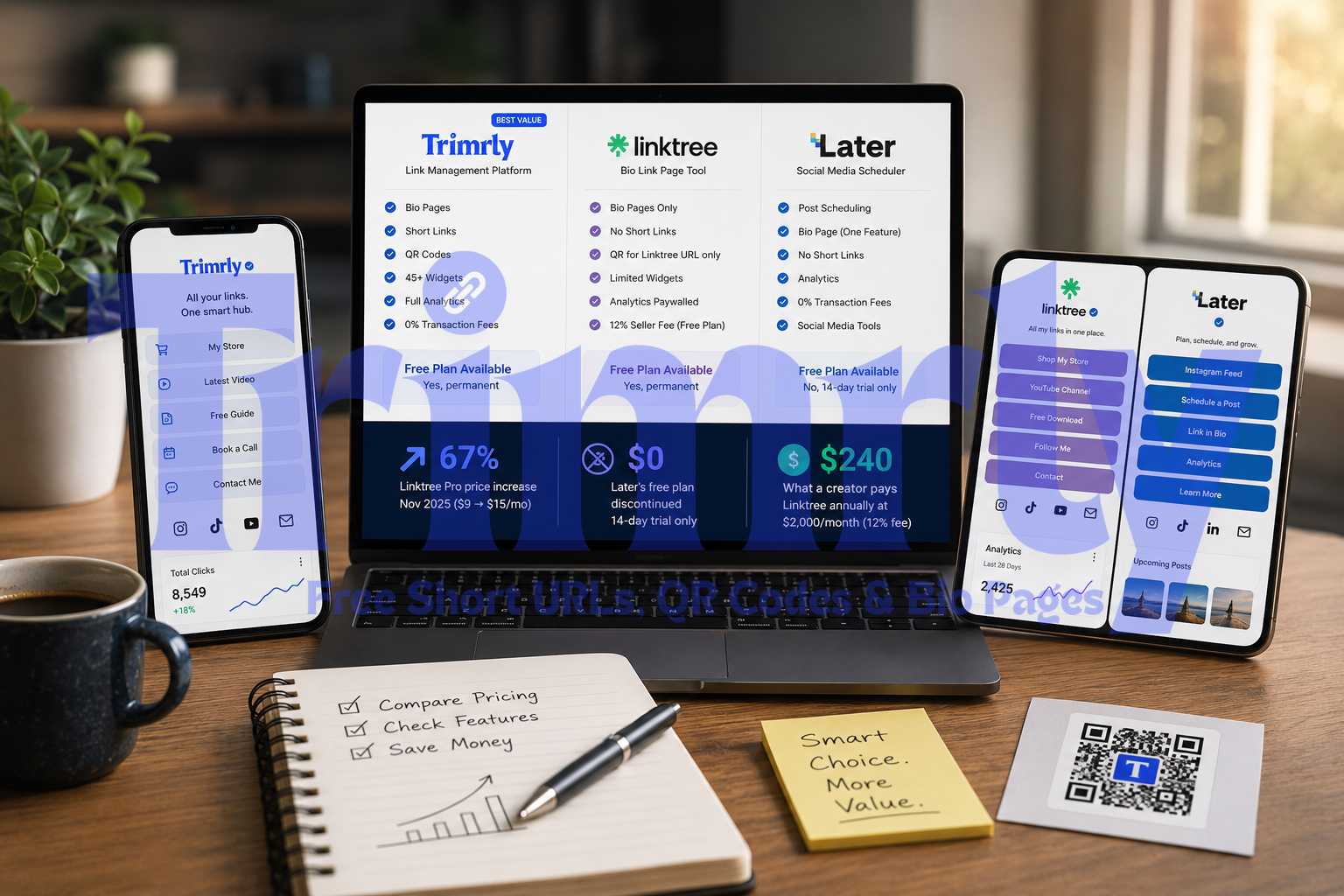
Before evaluating alternatives, it is worth being precise about what you are comparing against. Linktree's free plan in 2026 includes: unlimited links, basic themes, QR code generation, 28-day analytics, and the ability to sell digital products. There is no forced watermark on the page itself, but customization is limited to preset themes and you cannot connect a custom domain without upgrading.
Here is what it does not include and where the friction builds:
- ✕
Device, location, and referral analytics. You see total clicks and views. No breakdown by country, device type, or where traffic came from. This data is locked behind the Pro plan at $15 per month.
- ✕
Analytics older than 28 days. Any click data beyond the rolling 28-day window is deleted. You cannot compare this month to last month, let alone run a year-over-year review.
- ✕
Email collection. No way to capture visitor email addresses directly from your bio page on the free plan.
- ✕
Integrations. No Mailchimp, Google Sheets, Zapier, Klaviyo, or any CRM connection on the free plan.
- ✕
12% transaction fee on digital product sales. Every $50 sale costs you $6 in Linktree fees before payment processing. This fee only drops if you pay for a Premium plan at $24 per month.
- ✕
Link scheduling. No ability to set links to go live or expire at a specific time.
The 12% seller fee is the most significant limitation for creators who sell anything through their bio link. A creator selling a $20 digital guide 50 times per month loses $120 to Linktree fees alone, every month, before payment processing costs. On any paid Linktree plan, that fee drops but never disappears entirely until the $24/month Premium tier. Most alternatives charge zero.
The 7 Best Free Linktree Alternatives in 2026
Trimrly is the only tool on this list that bundles bio pages, short links, and dynamic QR codes into a single free account. Where most bio page tools focus only on the page itself, Trimrly treats it as part of a broader link management system: the bio page is powered by a trackable short link, every button on the page tracks its own clicks independently, and the same dashboard shows you data from your short links, QR codes, and bio page in one view.
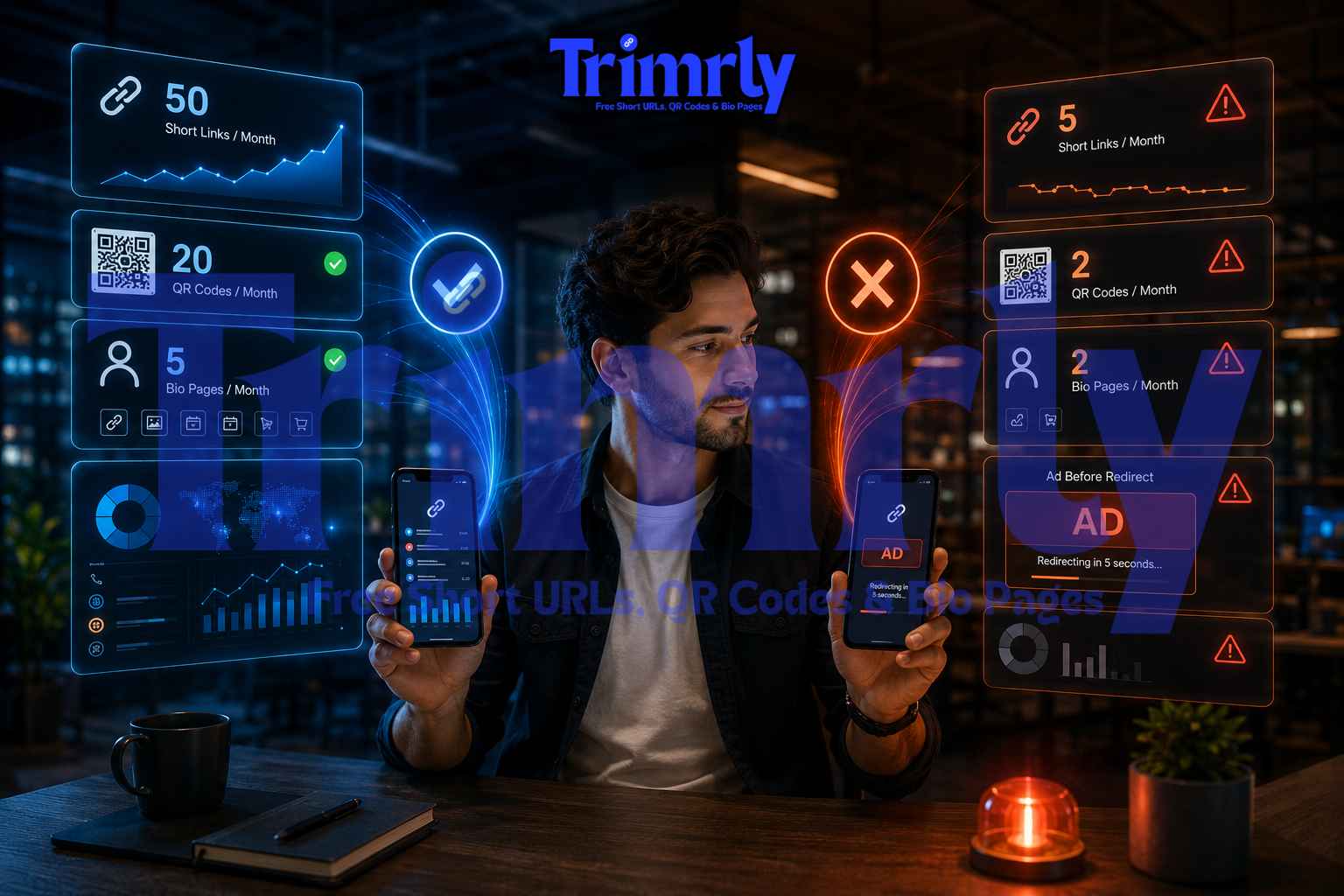
The free plan gives you 5 bio pages per month, 50 short links, and 20 dynamic QR codes, all with permanent analytics that never expire. Device breakdown, country data, referral sources, and timestamps are all included without paying anything. There is no Trimrly branding forced on your bio page, no transaction fee on anything, and no 28-day data wipe.
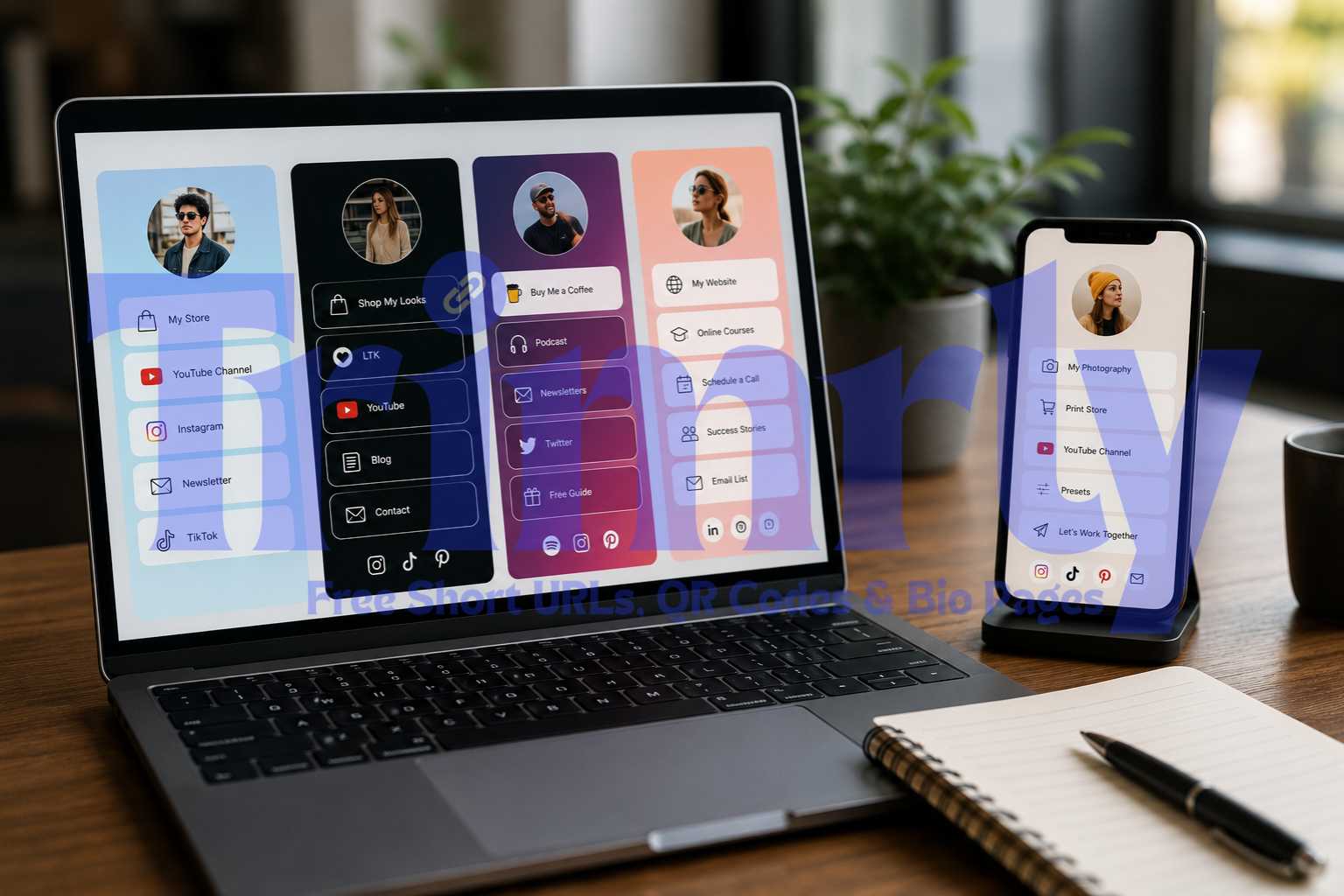
The bio page builder includes 45+ widget types. You can add buttons, social links, video embeds, WhatsApp chat links, newsletter signups, and more. The page is mobile-first and loads quickly without requiring a separate app to scan or view.
Where Trimrly differs most from Linktree is the link ecosystem. When you share a link on Instagram, WhatsApp, and a printed QR code simultaneously, Trimrly tracks each channel separately in one dashboard. That level of cross-channel visibility is what most bio-only tools cannot provide.
Beacons was built specifically for creators who want to earn money from their audience without building a separate website. The free plan is unusually feature-rich: tip jars, paid DM access, affiliate link management, brand deal tools, a media kit generator, and AI-powered bio and content suggestions are all available without paying a monthly fee.
The interface is polished and the onboarding is among the smoothest of any tool on this list. Beacons added an AI-powered page builder in 2025 that generates a complete styled bio page from a short text description, which genuinely reduces setup time from 20 minutes to under five.
The catch is the transaction fee structure. Beacons earns a revenue share on transactions made through free accounts. The exact percentage varies by transaction type, but it is a meaningful cut on any real sales volume. Custom domains also require a paid plan upgrade. If you are serious about selling consistently, this fee structure eventually makes a paid plan the rational choice.
Carrd is not a bio link tool. It is a lightweight one-page website builder that happens to work brilliantly as one. The distinction matters because Carrd gives you complete layout control that purpose-built bio link tools simply do not offer. You are not working within a stacked-buttons template. You assemble the page yourself using columns, text blocks, images, video embeds, forms, and custom code.
The free plan gives you three live sites, each fully functional. The templates can feel slightly dated compared to newer bio tools, but what you build with them is entirely yours visually. Page load speeds are fast, tested consistently below 1 second across multiple evaluations.
The significant limitations are analytics (Carrd does not provide any native click tracking) and custom domains (paid only, starting at $19 per year). If you want to know which buttons your visitors click, you need to wire up your own Google Analytics or another tracking layer. That is a meaningful setup burden for non-technical users.
The Leap positions itself as an all-in-one creator store. It is worth taking seriously because it is genuinely completely free with zero transaction fees, which is unusual for a tool that includes digital product selling, email list building, and AI-powered product creation in the same plan.
The AI builder can generate a lead magnet, mini-course, or digital guide from a topic prompt, which significantly lowers the barrier for creators who want to monetize but have not built a product yet. The bio link page itself is functional but less visually customizable than tools like Beacons or Carrd.
The trade-off is focus: The Leap is built specifically for selling digital products. If your bio page needs to cover a wider range of destinations (YouTube, Spotify, a booking form, a restaurant menu), it is less versatile than Trimrly or Beacons. But for creators whose primary goal is building an email list and selling digital products, no other free tool matches its combination of zero fees and built-in product creation.
Lnk.Bio is deliberately simple and that is its strongest asset. The setup takes under three minutes. There is no complex editor, no widget library to navigate, and no onboarding flow to complete. You add links, pick a basic layout, and the page is live.
The forever-free plan does not gate basic features behind a paywall the way Linktree does. Basic analytics are included. The most interesting option is the one-time payment plan at a low annual fee for lifetime access to premium features, which is far more cost-effective than any monthly subscription tool for users who know they will need the tool long-term.
The limitations are real though. The free plan shows Lnk.Bio branding, analytics are basic compared to Trimrly or Beacons, and there is no email capture, no product selling, and no design customization beyond template selection. It is the right tool for a specific user: someone who wants a clean, fast bio page and nothing more.
Bio Sites is Squarespace's answer to Linktree and it takes a visually different approach from most competitors. Rather than a stacked list of buttons on a plain background, Bio Sites lets you build pages that feel closer to a styled landing page, with image blocks, section dividers, and Squarespace's design sensibility applied to what is normally a very minimal format.
The free plan is genuinely usable. Basic analytics are included. Pages load cleanly on mobile. The templates are more polished out of the box than most tools on this list. The limitation is integration depth: Bio Sites does not offer the range of widget types that Trimrly or Beacons does, and the analytics are not as granular.
The natural upgrade path to a full Squarespace website is also either an asset or a lock-in depending on how you look at it. If you are already planning to build a Squarespace site, using Bio Sites makes obvious sense. If you are not, the upgrade path does not add value.
Taplink's strongest differentiator is its block library. Where most bio tools offer buttons and social icons, Taplink supports messenger buttons (WhatsApp, Telegram, Viber), payment collection blocks, appointment booking widgets, countdown timers, and multi-step forms. The 2025 addition of an AI-powered page builder that generates a complete styled page from a text prompt further reduces the setup barrier.
The free plan is functional but carries Taplink's watermark on every page, which is the most visible limitation. Custom domains require a paid upgrade. Analytics on the free plan are basic. For users who need the specific messenger and booking block types that Taplink specializes in and who do not mind the branding, the free plan delivers genuine utility not easily replicated elsewhere.
Side-by-Side: Free Plan Comparison
Here is every tool's free plan measured against the features that matter most for creators and small businesses in 2026.
| Tool | Full Analytics Free | No Forced Branding | 0% Transaction Fee | Short Links Included | QR Codes Included | Permanent Data |
|---|---|---|---|---|---|---|
| Linktree | 28-day only | Yes | 12% seller fee | No | Basic only | 28 days |
| Trimrly | Full, permanent | Yes | Yes | 50/month | 20/month | Permanent |
| Beacons.ai | Basic only | Yes | Revenue share | No | No | Limited |
| Carrd | No native analytics | Yes | Yes | No | No | No analytics to store |
| The Leap | Basic only | Yes | Yes | No | No | Limited |
| Lnk.Bio | Basic only | Lnk.Bio branding | Yes | No | No | Limited |
| Bio Sites | Basic only | Yes | Yes | No | No | Limited |
| Taplink | Basic only | Taplink watermark | Yes | No | No | Limited |
The Free Plan That Does Not Compromise
Bio pages, short links, QR codes, and permanent full analytics. No forced branding. No transaction fees. No 28-day data wipe. Free forever.
Which One Should You Choose?
The right tool depends on what you are primarily trying to accomplish with your bio link. Here is a plain-language decision guide.
You want real analytics on your free plan
Device, country, referral source, and permanent data storage without paying anything.
Use Trimrly
You sell digital products and hate fees
Zero platform transaction fees and built-in AI product creation with no monthly cost.
Use The Leap
You want full design control
Pixel-level layout freedom beyond what any standard bio template allows.
Use Carrd
You want to monetize your audience
Tip jars, affiliate tools, paid DMs, and a media kit all on the free plan.
Use Beacons.ai
You want the fastest possible setup
Under 3 minutes from signup to a live bio page with no decisions to make.
Use Lnk.Bio
You need WhatsApp and booking blocks
The widest block library for messenger, appointment, and payment integrations.
Use Taplink
You share links across multiple channels
Bio page + short links + QR codes tracked in one dashboard, all free.
Use Trimrly
You are already building a Squarespace site
The most natural integration if Squarespace is already part of your stack.
Use Bio Sites
"The best Linktree alternative is not the one with the most features. It is the one whose free plan stops being frustrating the moment you hit a real use case."
Why Analytics Are the Most Important Feature to Evaluate
Most people evaluating bio page tools focus on design and ease of setup. Both matter, but they are one-time decisions. Analytics are ongoing. The data your bio page produces changes how you create content, what you promote, and when you post.
Knowing which button gets clicked most tells you what your audience actually wants from you right now, not what you assume they want. If your "Watch the latest video" button outperforms your "Shop the collection" button three weeks in a row, that is not a coincidence. It is a signal about your audience's current relationship with your content. Without per-button click data, you cannot see that signal.
Knowing what devices your visitors use affects which landing pages you send them to. If 94% of your bio page visitors are on mobile and your linked website loads slowly on cellular, you have a conversion problem that analytics make visible and designerly assumptions do not.
Knowing what time of day your bio page gets the most traffic tells you when to post. Not when Instagram's general benchmarks suggest posting, but when your specific audience is actually active and clicking.
Linktree restricts all of this to paid plans. Trimrly includes it on the free plan permanently, with no 28-day window and no data expiry.
Frequently Asked Questions
The best free Linktree alternative overall in 2026 is Trimrly, because it includes bio pages, short links, QR codes, and permanent full analytics (including device, country, and referral source data) all on the free plan with no forced branding and no transaction fees. For creators focused specifically on monetization, Beacons.ai offers the richest set of revenue tools on a free plan. For pure design flexibility, Carrd is the strongest option.
Yes. Linktree's free plan in 2026 charges a 12% seller fee on every digital product sale made through the platform, in addition to standard payment processing fees. This fee drops on paid plans but does not disappear entirely until the $24 per month Premium tier. For context, on $500 in monthly digital product sales, the free plan fee alone costs $60 before payment processing.
Yes. Your Instagram bio only stores the URL you put in it. Switching tools means creating a new bio page, then updating the URL in your Instagram bio to the new page. Your audience sees the new page the next time they tap your bio link. The transition takes under 10 minutes and your followers notice nothing except a potentially better page on the other side of the tap.
A bio page is a mobile-optimized webpage with multiple buttons, each pointing to a different destination. A short link is a compressed URL that redirects to a single destination. Most bio link tools only create bio pages. Trimrly creates both, and each bio page button is powered by a tracked short link, so you get click analytics on every individual button rather than just total page visits.
Yes. Trimrly's free plan includes 5 bio pages per month, 50 short links, and 20 QR codes with no expiry on created pages and permanent analytics storage. The plan is designed as a permanent free tier, not a trial. No credit card is required, and pages created on the free plan stay live indefinitely. The only limitation is the number of new items you can create each month, not the lifetime of existing ones.