A biryani restaurant in Lahore was reprinting their laminated menus every six to eight weeks. New seasonal items, price adjustments, a sold-out dish that kept confusing staff. Each reprint cost around PKR 12,000 for 40 menus. Over a year that was PKR 72,000 to 96,000, spent entirely on paper that became outdated within weeks of delivery.
They switched to QR code menus in one afternoon. Total cost for the setup: zero. The only new expense was printing 40 small tent cards with the QR code, which cost PKR 3,500 and took two days. The last menu update happened in eight minutes from a phone, including the time it took to open a browser.
That math is not unusual. The operational savings are significant. But the bigger change is the flexibility: being able to add a weekend special at 11 PM on a Friday without calling a printer.
What a Restaurant QR Code Menu Actually Looks Like
Most restaurant owners picture a complicated setup: a custom app, a web developer, a monthly subscription. None of that is necessary. The simplest version that works perfectly is three things: a digital menu file, a QR code pointing to it, and a printed surface to put the code on.
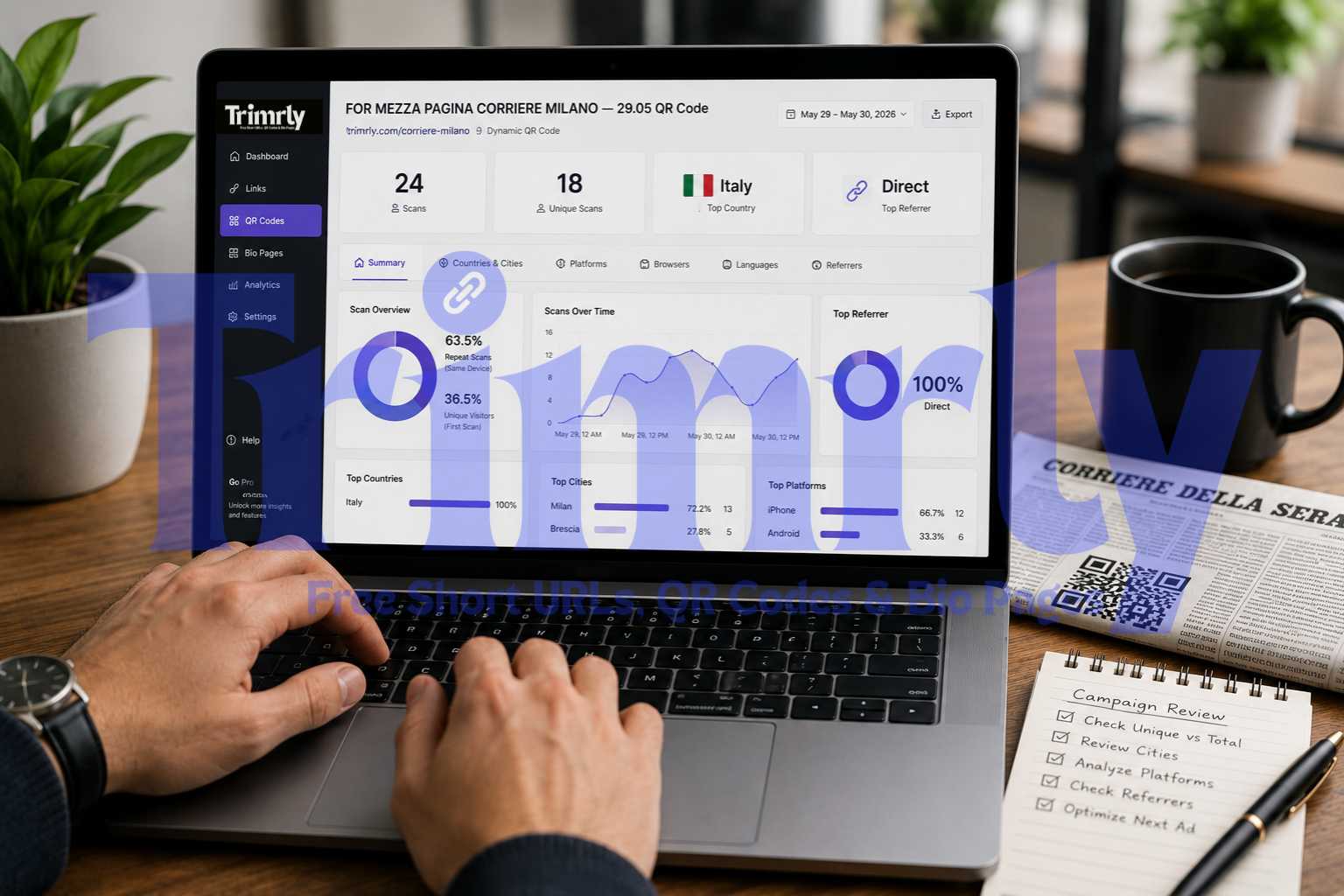
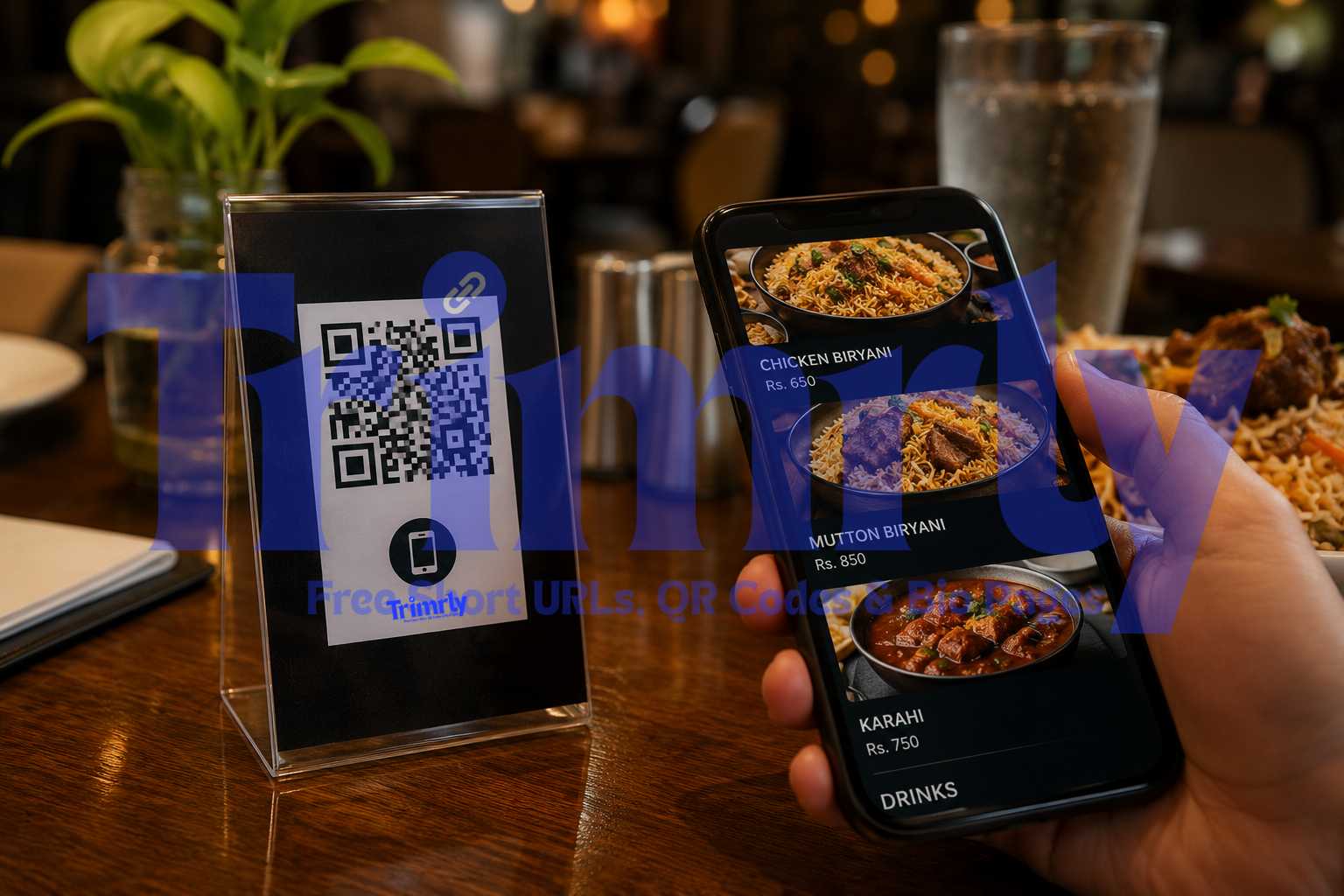
The tent card on the right is all the customer sees. They point their camera at the code without opening any app, the menu loads in under a second, and they browse from their own phone. The panel on the left shows what you see in your Trimrly dashboard: which table scanned, which device, and at what time. That data exists because the QR code is dynamic, powered by a short link that tracks every scan automatically.
The 10-Minute Setup: Broken Down by Minute
Here is the complete timeline. Each block is a real task with a realistic time estimate. If you already have a menu file ready, the total time drops to under five minutes.
Prepare your menu file
Upload your existing menu PDF to Google Drive, or create a quick Google Doc. Copy the shareable link.
Create a Trimrly account
Sign up free at trimrly.com/user/register. No credit card. Takes 60 seconds from blank screen to dashboard.
Generate your QR code
Paste your menu URL into the QR generator. Set a custom short alias like trimrly.com/your-restaurant-menu. Download as SVG.
Add to your print template
Drop the SVG into Canva, Word, or any design tool. Add "Scan to view menu" text. Export as PDF for printing.
Test and verify
Scan the code from two phones. Confirm the menu loads correctly. Check the scan appears in your Trimrly dashboard.
Send to print
Print tent cards, stickers, or coasters locally. Place on every table. Done.
What to Use as Your Menu: Five Options Compared
The QR code is just a pointer. What it points to determines how good the experience feels for your customer. Here are the five most common menu formats, from worst to best.
| Menu Format | Load Speed | Easy to Update | Mobile Friendly | Cost |
|---|---|---|---|---|
| Google Doc / Slides | Fast | Instant | Good | Free |
| PDF on Google Drive | Medium | Upload new PDF | Requires zoom | Free |
| Canva published page | Fast | Edit and re-publish | Responsive | Free tier available |
| Restaurant website menu page | Fast | CMS update | Excellent | Hosting cost only |
| WhatsApp menu image | Instant | Resend image | Good | Free |
| Image file (JPEG/PNG) | Slow if large | Replace file | Requires zoom | Free |
Google Docs and Canva published pages are the two fastest paths to a decent-looking digital menu that any staff member can update without technical knowledge. Both are free. Both load quickly on mobile. If your restaurant already has a website with a menu page, link to that. It is the cleanest solution and the one that also benefits from Google search indexing.
Regardless of which format you choose for the menu itself, always use a dynamic QR code. If you ever switch from a Google Doc to your website, or rename a file, or change your hosting, you update the destination URL in Trimrly in 20 seconds. The printed QR code on your tables stays identical. No reprint. No downtime.
How to Generate Your Restaurant QR Code on Trimrly
Create your menu file and get the URL
If using Google Docs: go to File, then Share, then change access to "Anyone with the link can view." Copy the link. If using your website menu page, copy that URL directly. This is what the QR code will point to.
Open Trimrly's free QR code generator
Go to trimrly.com/free-qr-codes-generator and paste your menu URL. Trimrly automatically creates a dynamic code, meaning the destination can be changed anytime from your account dashboard without regenerating or reprinting the code.
Set a readable alias for the short link
In the alias field, type something like your-restaurant-menu or restaurant-name-menu. This makes your short link readable (trimrly.com/your-restaurant-menu) and makes your Trimrly dashboard easy to manage if you have multiple QR codes for different areas of your restaurant.
Customize the code appearance if needed
You can change the module color to match your brand. Keep the background white or very light for reliable scanning. Add your restaurant logo in the center only if you set error correction to level H first. Without level H, a logo overlay causes scan failures on some devices.
Download as SVG for print
Select SVG as the download format. SVG is a vector file that prints crisp at any size, from a 3 cm tent card code to a 20 cm window sticker. PNG is acceptable only if your printer cannot handle SVG and you export at 300 DPI or higher. Never use JPEG for QR codes.
Test the scan on two devices before printing anything
Scan the downloaded code on an iPhone and an Android phone. Confirm the menu loads correctly and completely. Check your Trimrly dashboard and confirm those two test scans appear with device and location data. If both scans work and data appears in the dashboard, your setup is complete and ready for production.
Create Your Restaurant QR Code Menu Free
Dynamic codes with scan tracking. SVG download included. 20 free QR codes per month. No credit card. No expiry.
Where to Place QR Codes in Your Restaurant
The placement of a QR code determines whether customers actually use it. A code hidden in a corner or placed on a dark surface fails silently. Most guests will not hunt for it. If it is not immediately visible and scannable from a seated position, it might as well not be there.
Tent Cards
Folded card stock standing upright at the center of each table. Most visible from a seated position. Easy to replace if damaged. Minimum code size: 5 cm x 5 cm at this viewing distance.
Best overall placement
Table Stickers
Laminated sticker adhered to the table surface or a menu holder. Works well for casual dining. Customers naturally look down at the table while waiting. Minimum 4 cm x 4 cm.
Great for casual dining
Coasters
Printed coasters with the QR code on one face. Works brilliantly for cafes and bars where coasters are already on every surface. Customers pick them up and scan naturally.
Ideal for cafes and bars
Entrance Display
A larger QR code near the entrance lets waiting customers browse before being seated. Reduces order time and keeps guests engaged during the wait.
Cuts order time
Receipt Footer
Print the QR code at the bottom of receipts linking to your digital menu, Instagram, or a Google review page. Turns every bill into a future marketing touchpoint.
Good for repeat visits
Takeaway Packaging
A QR code on bags or boxes linking to your full menu or WhatsApp ordering link. Customers who ordered takeaway can reorder easily and share your menu with others.
Great for takeaway
"A QR menu code that requires effort to find will be ignored. Place it where a seated customer would look within the first 30 seconds."
What Scan Data Tells You About Your Restaurant
Most restaurant owners think of the QR menu as a cost-saving tool. The scan analytics it produces are genuinely useful for running a better restaurant, and they come free with every dynamic code on Trimrly.
Peak scan hours reveal your actual busy periods
Scan timestamps show exactly when customers are looking at the menu most actively. This is not the same as when customers are seated. A peak in scans at 1:15 PM rather than 12:30 PM tells you your lunch guests arrive and get settled later than expected. That shifts when you need your kitchen at full capacity, when to run your daily specials announcement, and when to have extra staff available.
Device breakdown informs your menu format choice
If 90% of your scans come from iPhones, and your Google Doc menu is not rendering well in Safari, that is a conversion problem you can fix. Device data makes it visible. Without it, you would assume the menu format is fine because you tested it on Android.
Scan volume per location if you use multiple codes
If you place different QR codes at the entrance, on tent cards, and on takeaway packaging with separate aliases in Trimrly, you can see exactly which placement drives the most scans. Some restaurants find their packaging code gets scanned three times more than their table code, revealing that takeaway customers are a larger repeat audience than they assumed.
Some restaurants use their QR code to link directly to a WhatsApp ordering link rather than a static menu. Customers scan, the WhatsApp chat opens, and they place their order by message. You can create a short link to your wa.me URL using Trimrly's URL shortener, then generate a QR code from that short link. Every scan and every click to WhatsApp is tracked separately in your dashboard.
Common Mistakes Restaurants Make With QR Code Menus
- ✕
Using a static QR code. If your menu URL ever changes, every printed code in every location becomes a dead link. Always use a dynamic code so you can update the destination without reprinting anything.
- ✕
Printing the code too small. On a tent card viewed from 40 to 60 cm away, the QR code should be at least 4 cm x 4 cm. Smaller than that and cameras struggle, especially in dim restaurant lighting.
- ✕
Linking to a PDF that requires a download. If the menu triggers a download instead of opening in the browser, most guests will abandon the scan. Host the PDF on Google Drive with view-only access, or use a direct web page that opens instantly.
- ✕
Not testing in your actual restaurant lighting. A QR code that scans perfectly in daylight can fail under warm, low-lux dinner service lighting. Test the scan at your actual table, in your actual evening lighting, before printing the full run.
- ✕
Having no fallback for guests without smartphones. A small number of guests will not have a smartphone or will not be comfortable scanning. Keep two or three printed menus behind the counter for these situations. The QR menu replaces most physical menus, not all of them.
- ✓
Adding "Scan to view menu" text next to the code. An unlabeled QR code gets scanned less frequently than one with a short instruction. One line of text removes the ambiguity about what the code does and noticeably increases scan rates.
- ✓
Updating the menu during off-hours. If you update the destination URL in Trimrly, the change takes effect immediately. Do menu updates in the morning before service, confirm the new menu loads correctly, and start the day knowing the scan experience is current.
Beyond the Menu: What Else Your Restaurant QR Code Can Do
Once the QR code infrastructure is in place, the same system handles more than just the menu. These are the most practical extensions for restaurants already using Trimrly.
A QR code on your receipt or takeaway bag can link to a Trimrly bio page with buttons for your Instagram, your Google review page, your WhatsApp ordering link, and your loyalty program. One code, one scan, every relevant action available. You update which buttons appear and where they lead without replacing the printed code.
A separate QR code near your entrance can link to your Google Maps listing directly, making it easy for first-time visitors to leave a review before they leave the premises, when the meal is freshest in their mind. Restaurants that actively make review submission easy consistently accumulate more reviews than those that ask via email days later.
Both of these additional codes are free to create on Trimrly. The free plan includes 20 QR codes per month with full scan analytics on each one. A restaurant with 5 to 10 active codes across tables, packaging, entrance, and receipts uses a fraction of that allowance.
Frequently Asked Questions
No. Every modern smartphone, both iPhone and Android, can scan a QR code directly from the native camera app without downloading anything. The customer opens their camera, points it at the code, and taps the link that appears. The menu opens in their browser instantly. No app, no login, no friction.
If you used a dynamic QR code from Trimrly, log into your Trimrly account, find the QR code in your dashboard, and update the destination URL to your new menu page or file. The change takes effect immediately. Every scan from that point forward goes to the new menu. The printed code on your tables stays completely unchanged.
A Google Doc set to "Anyone with the link can view" or a Canva published page are both excellent starting points. They load fast, display well on mobile, and can be updated by any staff member without technical knowledge. A restaurant website menu page is the best long-term option as it also benefits from Google search visibility. Avoid raw image files as the menu destination because they require customers to zoom in and are slow to load on cellular connections.
On a tent card viewed from a seated position roughly 40 to 60 cm away, the QR code should be at least 4 cm x 4 cm. This size scans reliably on all devices in typical restaurant lighting including low-light dinner service. For coasters, a minimum of 3 cm x 3 cm works since they are held closer to the camera. Always test in your actual lighting before printing the full run.
Yes. Dynamic QR codes from Trimrly record every scan with a timestamp, device type, operating system, and location. You can see total daily and weekly scan counts, which hours of service are busiest, and what devices your customers use most. This data is available immediately in your Trimrly dashboard for every code you generate, with no additional setup required.