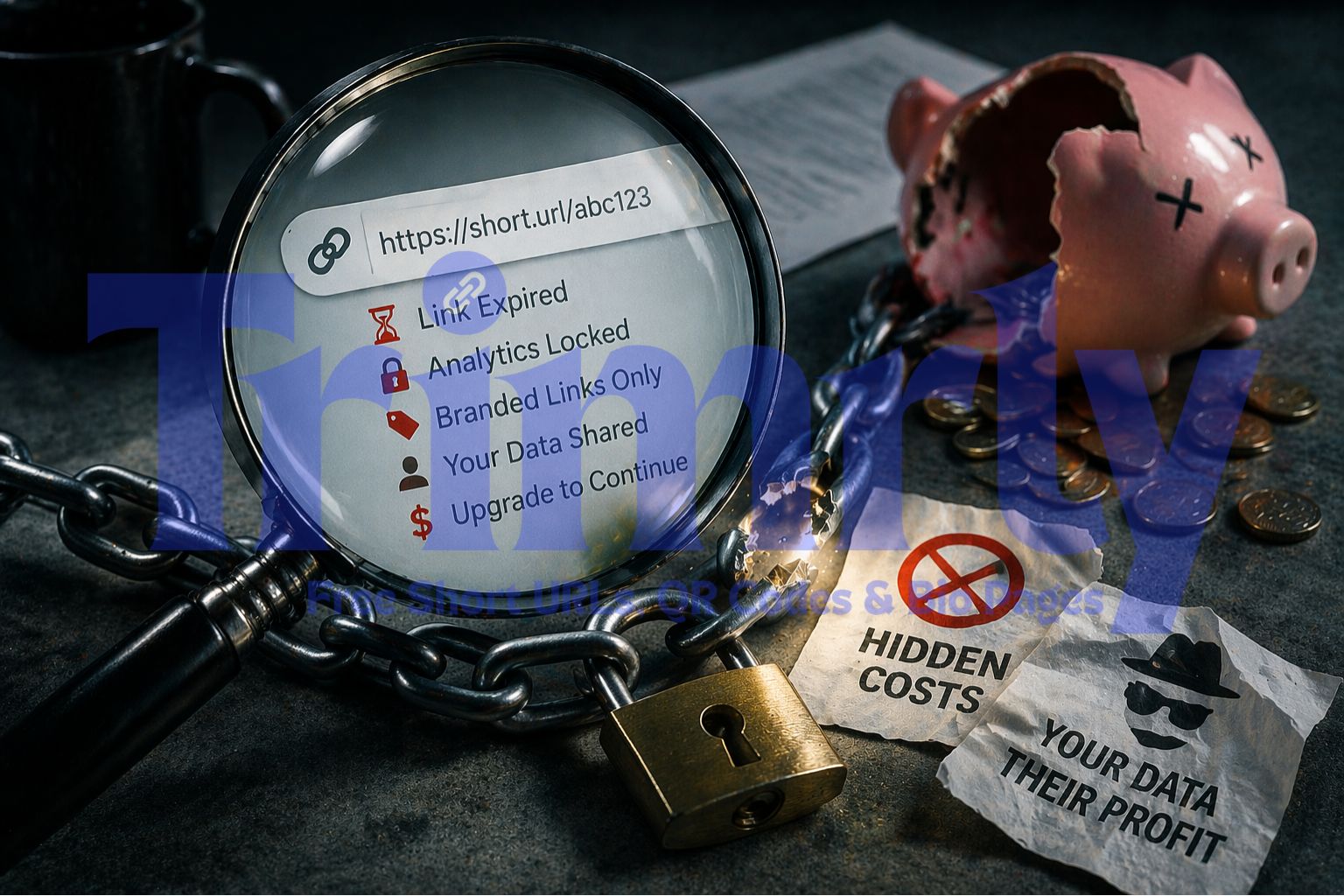
Let's set the scene. You find a free URL shortener, create a dozen links for your campaign, share them across Instagram, your email list, and a printed flyer. Three months later, half those links are dead. The "free" plan expired. You upgrade or everything goes dark.
This is not a hypothetical. It is the exact business model that most free URL shorteners run on. The free tier is designed to hook you in, get your links out in the wild, and then make it painful to leave.
This post breaks down every hidden cost pattern we found across the most popular URL shorteners, so you know exactly what you are signing up for before a single link goes live.
The 5 Hidden Costs Inside Most Free URL Shorteners
None of these costs show up in the sign-up flow. They live in the fine print, the "upgrade" modals, and the settings page you only read after something breaks. Here is each one in detail.
Link Expiry
Some free plans set an automatic expiry date on every link you create. After 30, 60, or 90 days, the link stops working and anyone who clicks it gets a 404 or a redirect to the tool's own website.
Common on free plans
Locked Analytics
The platform records every click, but you cannot see the data without paying. You know the link works, but you have no idea where traffic is coming from, what device people use, or which country they are in.
Very common
Forced Branding on Your Links
Free users are assigned a generic domain (bit.ly, tinyurl.com) with no option to use their own. Every link you share advertises the shortener's brand, not yours. Trust and click-through rates drop as a result.
Unavoidable on free tiers
Data Selling
Your click data: location, device, referrer, time of click, is extremely valuable to ad networks. Some platforms are upfront about this in their privacy policy. Many are not.
Read the privacy policy
Click Limits That Kill Campaigns
Not link limits: click limits. You can create 10 links, but each one only gets 1,000 clicks before the redirect stops working. Run a viral post and your campaign dies at the worst possible moment.
Hidden in the fine print
Interstitial Ad Pages
Before the redirect happens, the user sees a full-page ad. You shared a link to your product. The person who clicked it first sees an advertisement for something else entirely. This is the free plan's revenue model.
Destroys user experience
How the Business Model Actually Works
Understanding why these costs exist makes it easier to spot them in any tool you evaluate.
URL shorteners need servers to process billions of redirects. Those redirects happen in milliseconds, but they cost real money at scale. A company offering this service for free needs to recover that cost somewhere.
Here are the four main ways they do it:
Freemium Conversion Pressure
The free plan is deliberately limited. Link expiry and locked analytics are not bugs; they are product decisions designed to make the paid plan feel necessary. The more links you create on the free plan, the more painful it is to leave.
Selling Aggregated Click Data
Anonymized click data (which countries click which types of links, what devices are popular in certain markets) is genuinely valuable to research firms and ad networks. Most privacy policies allow this under "aggregated or anonymized data" clauses.
Interstitial Advertising
Some platforms show a 5-second ad page before the redirect. The company earns CPM revenue from advertisers. Your audience waits. The link still works, but the experience is broken.
API Rate-Limiting
Developers who build apps that generate short links at scale get cut off on free plans and pushed to enterprise pricing quickly. This is separate from regular user limits and often catches teams off guard mid-project.
Not "is it free?" but "what is the ceiling on the free plan, and what happens when I hit it?" A link that breaks is worse than a link that never existed. At least a broken link you know about.
The Comparison: What 5 Popular Shorteners Actually Give You for Free
We went through the pricing pages, terms of service, and privacy policies of the most widely used URL shorteners. Here is what the free plans actually include:
| Tool | Free Links/Month | Link Expiry | Full Analytics | Custom Domain | Click Limit | Branded Domain |
|---|---|---|---|---|---|---|
| Bitly | 10/month | No expiry | 30 days only | Paid only | Unlimited | bit.ly forced |
| TinyURL | Unlimited | No expiry | No analytics | Paid only | Unlimited | tinyurl.com forced |
| Rebrandly | 10/month | No expiry | Limited | 1 domain | Unlimited | Optional |
| Short.io | 1,000/month | No expiry | Basic only | 1 domain | 1,000 clicks | Optional |
| Trimrly | 50/month | No expiry, ever | Full analytics | Available | Unlimited clicks | Your domain |
The 10-links-per-month limit on Bitly's free plan is the most misunderstood restriction in the industry. Most marketers assume "free" means they can create as many links as they need. Running a campaign with 15 URLs and hitting that wall on day three is a genuine operational problem.
"A link limit of 10 per month is not a free plan. It is a trial with extra steps."
What Happens to Your Links When You Downgrade or Leave
This is the question most people never think to ask until it is too late.
You build 200 short links over 18 months on a paid plan. You cancel. What happens to those links?
The answer depends entirely on the platform's terms, and it varies widely:
Some platforms immediately deactivate all links when you cancel or downgrade below a certain plan. Every URL you ever created stops working. Every QR code you printed, every link in your email archive, every shared post: all broken at once.
You get to keep your oldest links, but new link creation is blocked. Analytics stop updating. Custom domain links might break while default-domain links survive.
Links created on a free plan should work forever, regardless of whether you ever upgrade. Your links are your published work. They should not have an expiry date tied to your subscription status.
Trimrly's position on this is simple: links you create on the free plan stay live permanently. There is no downgrade cliff. The 50-link monthly limit resets each month, but every link you have already created keeps working with no conditions attached.
The Analytics Problem: Why "Free" Data Is Never Really Free
Click analytics are the main reason most marketers use a URL shortener in the first place. Not just "did people click it," but who clicked it, from where, on what device, after seeing what content.
Without that data, a short link is just a shorter URL. It tells you nothing useful about your audience or your campaign performance.
Most free plans give you one of three things:
No analytics at all. You see a click count. That is it. You cannot see country, device, referrer, or any data that would help you make decisions.
Time-limited analytics. Data is only available for the past 30 days. Anything older is wiped. You cannot compare this month's campaign to six months ago.
Full, permanent analytics. Every click is stored with device type, browser, country, referrer, and timestamp. Data persists indefinitely. This is what Trimrly's free plan provides.
The difference in decision-making quality between option one and option three is significant. Knowing that 80% of your clicks come from mobile users in one country changes how you write landing page copy, what image you lead with, and what time you schedule your next post.
That information should not sit behind a paywall.
Try the Free Plan That Does Not Have a Catch
50 short links per month. Unlimited clicks. Full analytics. No credit card. No expiry. Your links stay live forever on the free plan.
Forced Branding: The Cost Nobody Talks About
When you share a bit.ly link, you are telling your audience two things simultaneously: where you want them to go, and the name of the tool you use to manage your links. That second piece of information is not relevant to them, and it actively competes with your brand recognition.
Consider two links side by side:
Studies on link click-through rates consistently show that branded, readable URLs outperform generic random-character links. The difference ranges from 15% to 40% higher CTR depending on the platform and audience.
Branded domains are not a luxury feature. They are a basic professional standard. The fact that most free plans gatekeep them is a deliberate choice to make the paid plan feel essential.
Trimrly supports custom branded domains. Setup takes about five minutes and requires no technical knowledge beyond updating a DNS record, which most domain registrars walk you through step by step.
The Privacy Angle: Who Actually Owns Your Click Data
Every click on a short link is a data point. Device type. Operating system. Browser. Approximate location based on IP. Referring URL. Timestamp. That is a fairly complete picture of a user's behavior.
When you use a URL shortener, you are creating click data on that company's servers. The question of who owns that data and what they can do with it is answered by their privacy policy, which most users never read.
Common things to watch for in a privacy policy:
Aggregated Data Clauses
Language like "we may share aggregated, anonymized data with third parties" means your click data, combined with millions of others, can be sold to advertisers, researchers, or data brokers without naming you specifically.
Partner Network Language
Phrases like "our trusted partners" or "service providers" without a specific list of who those partners are is a sign that data sharing is happening outside your visibility.
Acquisition Clauses
If the company is acquired, your data transfers to the new owner under the acquiring company's privacy policy, not the one you agreed to. This has happened multiple times in the URL shortener industry.
This is not unique to URL shorteners. But because the product exists specifically to handle click traffic at scale, the volume of behavioral data being collected is substantial.
What a Genuinely Free Plan Looks Like
After going through the pricing pages, terms, and privacy policies of every major shortener we could find, here is what a genuinely useful free plan needs to include:
Links that never expire. Any link you create on the free plan should stay live permanently, with no conditions attached to your subscription status.
Full analytics with no time limit. Device, country, referrer, and click timestamp data, stored permanently, not wiped after 30 days.
Unlimited clicks per link. A link limit is acceptable. A click limit on each link is not. Your campaign should not break if a post goes viral.
No interstitial ads. The person clicking your link should land on your destination, not an ad page for someone else's product.
A clear, honest privacy policy. What data is collected, how long it is kept, who it is shared with, and what happens to it if the company is sold.
Trimrly's free plan meets all five of these. The monthly limit is 50 links, which covers most individual users and small business campaigns. QR codes (20 per month) and bio pages (5 per month) are included in the same free account.
When the Paid Plan Actually Makes Sense
This post is not an argument against paying for URL shortener software. There are genuine reasons to upgrade, and knowing them helps you make the right call at the right time.
Consider a paid plan when:
You are creating more than 50 unique campaign links per month consistently, not just during a busy period.
You need team access so multiple people in your organization can manage links in the same workspace.
You are running A/B tests across multiple link destinations simultaneously and need rotator functionality.
You need API access to generate short links programmatically inside another application you are building.
Your business requires more than 5 bio pages per month for multiple client accounts or product lines.
These are real use cases where a paid plan adds value proportional to its cost. The point is not that paid plans are bad. The point is that most people do not need one yet, and should not be pushed into one by artificial free-plan restrictions.
Start with Free. Upgrade Only When You Actually Need To.
Trimrly's free plan is built for real use, not just demos. Create an account in 30 seconds and start shortening links immediately.
Frequently Asked Questions
It depends on the platform. Some free plans set a hard expiry date, after which the link returns a 404 or redirects to the shortener's homepage. Others keep free links live indefinitely. Trimrly's free links never expire, regardless of whether you upgrade to a paid plan or stay on free forever.
Most free URL shorteners either block analytics entirely or limit the data to a 30-day window. Some show only total click counts with no breakdown by country, device, or referrer. Trimrly's free plan includes full analytics with no time limit: device type, browser, country, referrer, and timestamp for every click.
Some platforms apply click limits per link on the free tier, meaning once a link receives a certain number of clicks (often 1,000 or 5,000), the redirect stops working. Trimrly does not apply click limits. Every link on the free plan supports unlimited clicks.
This varies significantly by platform. Some shorteners deactivate all links immediately on cancellation. Others allow existing links to remain active but block new link creation. With Trimrly, links created on the free plan stay live permanently. Links created on a paid plan continue to work if you downgrade to the free tier.
Many URL shorteners include clauses in their privacy policies that allow them to share aggregated or anonymized click data with third-party partners. This is one of the ways free-tier services generate revenue. Always read the privacy policy before using any tool that handles click traffic at scale.