Somewhere on your screen right now there is probably a URL that looks something like this: https://yoursite.com/shop/collections/summer-2026?ref=instagram&utm_source=ig_bio&utm_medium=social&fbclid=IwAR3xK9m2...
Nobody reads that. Nobody remembers it. On a printed flyer, it becomes five lines of random characters. Pasted into a text message, it wraps into an unclickable mess. Dropped into a social caption, it makes the whole post look like spam.
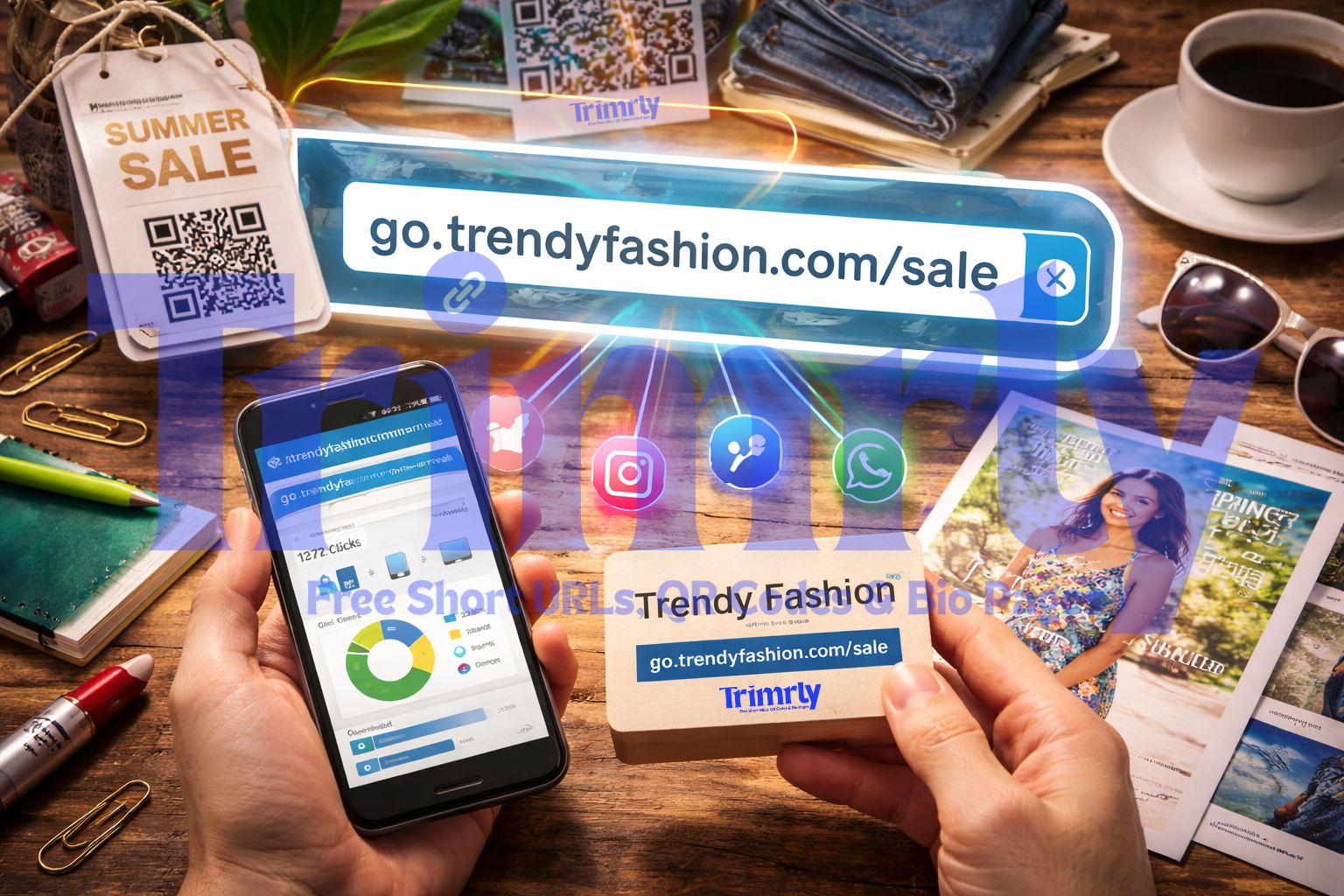
A short link fixes all of that in one step. trimrly.com/summer-sale goes to the same place, takes up one line, looks intentional, and — here is the part most people miss — tells you exactly how many people clicked it, where they were, and what device they used.
This guide covers everything: what actually happens when someone clicks a short link, how to create one for free in under a minute, the difference between dynamic and static links, why branded short links outperform generic ones, and what to do with the click data once you have it.
What Actually Happens When Someone Clicks a Short Link
Most people think of a URL shortener as a cosmetic tool — make long link shorter, done. That description is accurate but misses everything that makes it useful. Understanding the actual mechanics takes about sixty seconds and explains why short links are worth using even when length is not the problem.
The key number: Trimrly's redirects resolve in under 100 milliseconds. The recording and the redirect happen simultaneously — the click data is captured before the user even loads your destination page. This is why short links give you click information that your website analytics often cannot: even if the user bounces immediately, the short link already recorded the click.
When someone clicks a link on Instagram, Facebook, or most messaging apps, the platform strips the referrer data before the request reaches your website. Google Analytics sees the visit as "direct" traffic — indistinguishable from someone who typed your URL by hand. A Trimrly short link with a unique alias per platform bypasses this entirely: you know it was an Instagram click because it went through the Instagram-specific short link, not because the platform disclosed it.
What a Short Link Actually Looks Like
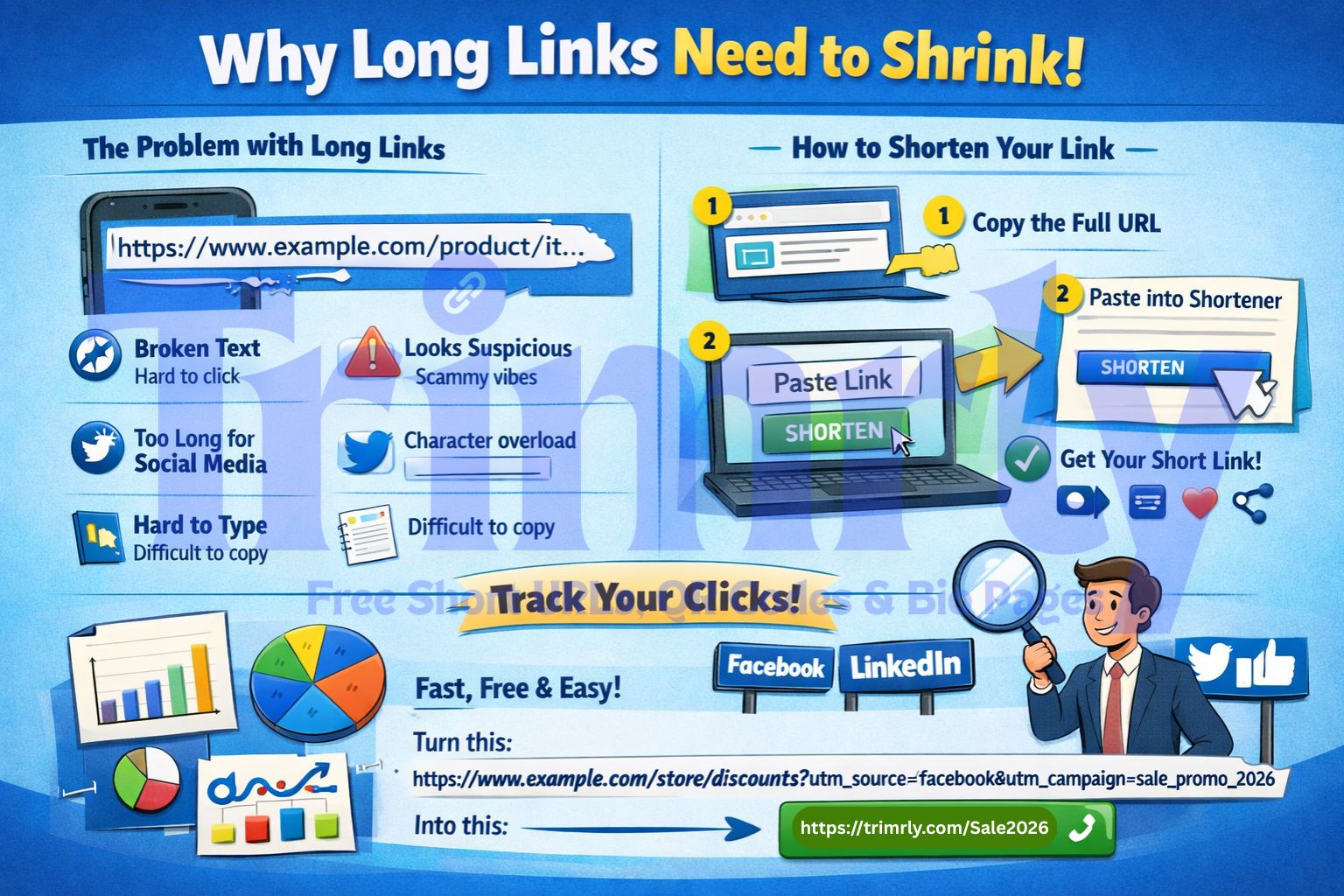
Here is the same destination URL before and after shortening. Both go to the same place. Only one of them belongs in a social caption, a text message, or on a printed sign.
The short link is readable, shareable, and carries no tracking parameters that the recipient can see. All the tracking happens on the short link side — invisibly, before the redirect fires.
How to Shorten a URL on Trimrly: Step by Step
The whole process takes under sixty seconds for a basic short link. Here is the full workflow from start to first click.
Copy your long URL
Go to the page you want to link to and copy the full address from your browser's address bar. Include everything — the full path, any query parameters you need, the whole URL. You can clean up UTM parameters at this stage if you prefer, or leave them in and let the short link layer add its own tracking on top.
Go to Trimrly and paste your URL
Visit trimrly.com and paste your long URL into the shortening field. No account is required for a basic short link. To save your links, track clicks, and create custom aliases, create a free account — no credit card needed. The free plan includes 50 short links per month and full click analytics on every link permanently.
Choose a custom alias (do not skip this step)
By default, Trimrly generates a random string like
trimrly.com/x7Kp2. Replace it with something readable:trimrly.com/summer-sale,trimrly.com/book-demo,trimrly.com/review-us. A readable alias makes the link 39% more likely to get clicked, makes your analytics dashboard readable weeks later, and looks intentional rather than auto-generated.Create the short link and test it
Click create. Trimrly confirms your short link is live. Before you share it anywhere, click it yourself and confirm it lands on the correct destination page. Then paste it into a browser in private/incognito mode and confirm again. Two seconds of testing prevents sharing a broken link to thousands of people.
Generate a QR code from the same link (optional)
If you need the link on any physical material — a flyer, a receipt, packaging, a business card, a wall sign — go to Trimrly's free QR generator and generate a QR code from the same short link. Download it as SVG for sharp print at any size. One short link works both as a clickable digital URL and as the destination for a QR code. Scans and clicks both appear in the same dashboard.
Check your dashboard after 48 hours
After sharing the link, revisit your Trimrly dashboard. You will see total clicks, a breakdown by device type, geographic location data, and click timestamps. For a link shared across multiple platforms, compare the traffic to see which source performs. This data — which you will not get from any other source — is the actual reason to use a short link beyond aesthetics.
Dynamic Links vs Static Links: Which One Do You Need?
Every Trimrly short link is dynamic by default, which matters more than it sounds. Understanding the difference between dynamic and static links is the single most important thing to know before you print any material with a short link or QR code on it.
| Feature | Dynamic Short Link | Static Short Link |
|---|---|---|
| Destination editable after creation | Yes — anytime | Never |
| Click tracking and analytics | Full — every click | None |
| QR code stays valid if URL changes | Yes — no reprint | Must reprint |
| Broken link risk if destination moves | Fix in 20 seconds | Permanently broken |
| Device and location data per click | Included | Not available |
| Suitable for printed materials | Recommended | Risky |
| Best use case | Anything you share publicly or print | Truly permanent, one-time, internal uses only |
A static QR code or short link permanently encodes the destination at the moment of creation. If the product page moves, the campaign ends, or you made a typo in the URL — the link is broken forever. Every flyer, receipt, packaging insert, and business card printed with that QR code stops working. The only fix is a reprint. A Trimrly dynamic link lets you update the destination in 20 seconds from any browser. Every printed material automatically redirects to the new page without touching the physical code.
Branded Short Links vs Generic Short Links
A generic short link uses the shortener's own domain — something like bit.ly/3xaB9p. A branded short link uses your own domain or a custom alias that carries your brand name — like trimrly.com/your-business-name. The difference in click rate is consistent and significant across every study that has measured it.
Rebrandly's controlled experiment ran identical campaigns on the same audience with identical copy, timing, and creative — changing only whether the link used a branded custom alias or a generic shortener string. Branded links received up to 39% more clicks. The mechanism is straightforward: people hesitate to click a link that conceals where it goes. A readable alias signals both destination and intent. trimrly.com/summer-sale tells you what you are clicking. bit.ly/3xaB9p tells you nothing.
39% More Clicks — Same Campaign, Same Audience, Same Creative
Rebrandly ran two identical Twitter/X paid campaigns to the same target audience with the same copy, creative, timing, and spend. The only variable was the link format: one campaign used a branded custom link, the other used a generic short URL. The branded link campaign received up to 39% more clicks.
A subsequent internal experiment on Rebrandly's own social media channels confirmed the finding independently. The consistency across both paid and organic contexts suggests the effect is not a paid-placement artifact — it reflects a genuine user trust differential between links that reveal context and links that conceal it.
For businesses running any volume of link sharing across social, email, or SMS, this differential compounds quickly. At 1,000 monthly link clicks, a 39% improvement means 390 additional clicks — from the same content, to the same audience, with no additional spend.
What to Do With Your Click Data
Most people create a short link, share it, and never look at the dashboard again. That is leaving most of the value on the table. Click data from a Trimrly short link answers questions your website analytics cannot.
Click Timestamps
See exactly when your links get clicked — hourly, daily, and historical. If 70% of your clicks happen between 11 AM and 1 PM, you know when to schedule posts for maximum reach. Platform "best time to post" estimates measure when content is seen; click timestamps measure when your specific audience acts.
Optimise posting times
Device Breakdown
Know whether your audience is clicking on mobile or desktop. If 85% of your social link clicks are mobile, every landing page you send people to must be mobile-optimised — not as a nice-to-have, but as the primary experience.
Prioritise mobile UX
Geographic Data
See which cities and countries your clicks come from. If your link data shows a city you had not expected, your content may be finding an audience you were not aware of — which has implications for timing, currency, language, and offers.
Discover real audience
Channel Comparison
Use a different alias per platform — /sale-ig for Instagram, /sale-li for LinkedIn, /sale-em for email. Your dashboard shows exactly which channel drives the most clicks from identical content. That data is the only accurate way to compare platform performance.
True attribution
Evergreen Link Monitoring
A link shared months ago can still drive clicks today. Trimrly's permanent analytics history lets you see when an old post or article resurfaces and starts generating traffic again — often from a third-party site linking to it or from social sharing you were unaware of.
Historical visibility
Campaign Health Checks
A sudden drop in clicks on a link you did not change almost always has a physical or platform cause — a sign was moved, a post was suppressed, an email went to spam. Click data gives you early warning before the downstream impact shows up in revenue.
Early warning system
Shorten Your First URL Free — Right Now
50 short links per month, full click analytics on every link permanently, QR code generation included, dynamic redirects, and a bio page for Instagram. No credit card. No expiry.
Where to Use Short Links in 2026
Short links are useful anywhere you share a URL — but some contexts produce dramatically higher click data value than others. Here are the placements where short links earn their keep.
Instagram & TikTok Bio
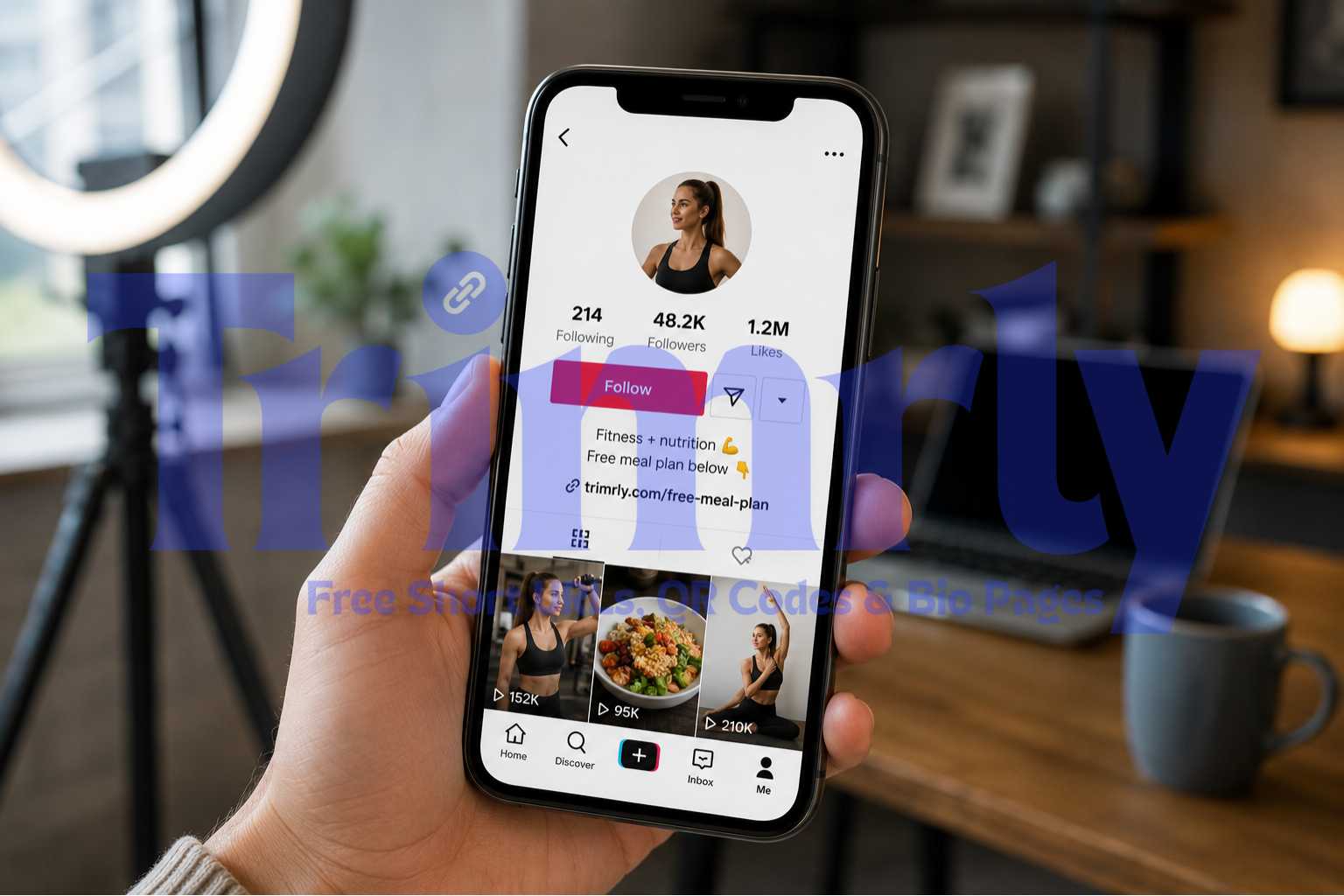
Both platforms allow only one clickable link. A Trimrly bio page turns that single slot into a full landing page with multiple destinations — shop, latest post, review link, newsletter. Each button is a tracked short link. You see exactly what your bio visitors want.
Multi-destination bio
Email Campaigns
Short links in emails keep the text clean and provide click data independent of your email platform's tracking — useful for verifying reported click counts and identifying which specific link in a long email gets the most engagement.
Independent click data
SMS and WhatsApp
Long URLs in text messages break across lines, look like spam, and eat into SMS character limits. A short link fits on one line, looks intentional, and keeps messages under the character threshold that triggers multi-part SMS billing.
Character-limit safe
Print and Offline Materials
Flyers, menus, receipts, packaging inserts, business cards, table tents, and window signs. A short link or QR code on any printed material gives you scan data you would otherwise have zero visibility into. You learn which physical placements drive real traffic.
Track offline channels
Paid Social Ads
Using a Trimrly short link in a paid ad gives you an independent click count you can compare to the platform's reported clicks. Discrepancies between the two reveal bot traffic and invalid clicks that inflate platform metrics. The link destination can also be updated mid-campaign without creating a new ad.
Verify ad platform data
"A short link is not just a shorter URL. It is an observation point on your audience's behaviour that would otherwise be invisible."
Mistakes That Reduce Short Link Effectiveness
- ✕
Using the auto-generated random string instead of a custom alias. A link like
trimrly.com/x7Kp2looks like spam to users and is unreadable in your analytics dashboard three weeks later. Always set a readable alias before sharing. If a good alias is already taken, add a hyphen or a brand prefix:trimrly.com/brand-summeris still far more readable than a random string. - ✕
Using one link across all platforms and channels. If every post on every platform uses the same short link, you cannot tell which platform drove traffic. Use a different alias per channel per campaign:
/sale-ig,/sale-li,/sale-em. Five minutes of setup at the start of a campaign gives you attribution data that is impossible to reconstruct after the fact. - ✕
Printing a static QR code linked to a URL that could change. If you generate a QR code directly from a long destination URL without going through a dynamic short link, you have a static code. The moment the destination page moves or the product goes out of stock, the QR code is broken forever — on every physical item already printed. Always generate QR codes from a dynamic Trimrly short link, never directly from a long URL.
- ✕
Never looking at the click data. A short link that is not reviewed is just a shorter URL. The analytics are the point. Set a weekly calendar reminder to check your Trimrly dashboard. The patterns that emerge over four to six weeks — peak click hours, top geographic locations, mobile versus desktop ratios — are exactly the inputs that improve your content and channel strategy.
- ✕
Sending people to a broken or outdated destination. Every short link you have ever created stays live until you change or delete it. A product page you linked to last year may have moved. A campaign landing page you linked to six months ago may have been deleted. Spend ten minutes quarterly reviewing your most-shared links and updating any destinations that have changed.
- ✓
Create a naming convention before you start. Before you create your first link, decide on a format and stick to it:
brand-platform-campaign-monthworks well (e.g.,brand-ig-summer-may). A consistent naming scheme means your analytics dashboard is readable at a glance months later, rather than a list of unrelated aliases you cannot match to campaigns. - ✓
Test every link on both iPhone and Android before printing or sharing. A link that works on your browser may redirect differently on a mobile device, or may land on the mobile version of a page that does not match the desktop version you intended. Two-minute test, potentially saving a wasted print run or a broken campaign.
Frequently Asked Questions
No. Trimrly short links use 301 permanent redirects, which pass link equity through to the destination page. For social media use — which is the most common context for short links — the relevant detail is that links shared on social platforms are almost always no-follow, meaning they do not directly contribute to search rankings regardless of whether they are shortened or not. The SEO impact of using a short link instead of a raw URL is effectively neutral. The tracking and branding benefits are not neutral: they are substantial.
Trimrly redirects resolve in under 100 milliseconds — imperceptible to users. The redirect uses a server-side 301, which is faster and more compatible than JavaScript-based redirects used by some older services. On a standard mobile connection the redirect adds no perceptible delay to the page load experience.
UTM parameters are tags appended to the end of a destination URL (e.g., ?utm_source=instagram) that Google Analytics reads to attribute traffic. A Trimrly short link is a redirect layer that sits before the destination, recording clicks before the user reaches your website. The two approaches are complementary. Using both a Trimrly short link and UTM parameters on the destination URL gives you click data from Trimrly (who clicked the link) and session data from Google Analytics (what they did after clicking). Together they give you a complete picture from the moment of the click through to conversion.
Links created on a free Trimrly account remain active as long as the account is active. If you close an account, links associated with it will stop resolving. This is the core reason to use a service with long-term reliability: short links you print on physical materials, package inserts, and business cards need to remain live for the life of those materials. For high-stakes printed materials, always use a short link from a platform with an established track record rather than a no-name service that may disappear.
Yes, and it is particularly useful for paid campaigns. Most ad platforms allow short links as destination URLs. A Trimrly short link in your ad gives you an independent click count that you can compare against the platform's reported clicks — discrepancies often reveal where bots or invalid traffic are inflating platform metrics. The destination can also be updated mid-campaign without creating a new ad creative, which is valuable when a landing page needs changes while a campaign is live.
Yes. Trimrly's free plan includes 50 short links per month, full click analytics on every link permanently, QR code generation, and a bio page for Instagram and TikTok. No credit card is required. The free plan covers the complete needs of most small businesses, content creators, and individual users. Paid plans add higher link volumes, custom domain support for fully branded links, and team features for agencies managing multiple clients.