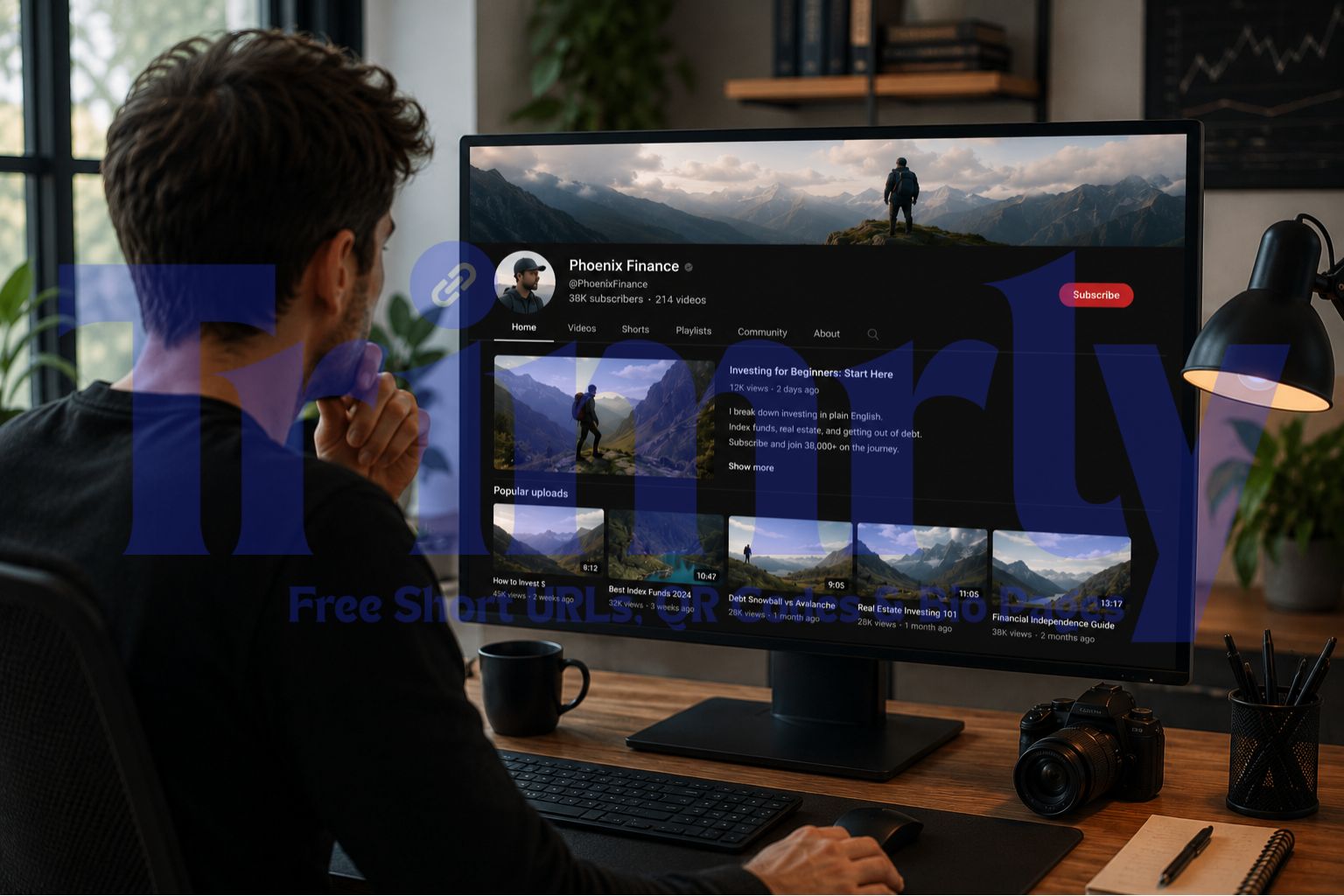
A personal finance creator in Phoenix, Arizona had 38,000 YouTube subscribers and three separate income streams: an investment course, a Substack newsletter, and affiliate links to the brokerages he recommended. His About section linked to his course website. His video descriptions linked directly to affiliate links. His Shorts had no bio link configured at all.
He spent 40 minutes rebuilding his link strategy around one Trimrly bio page. The bio page had four buttons: the course, the newsletter, a resources page with his affiliate links, and a "book a 30-minute call" Calendly block. All five of his YouTube link surfaces now pointed to that single bio page. The description links stayed video-specific for direct affiliate clicks, but everything else consolidated.
Three months later, his newsletter signups from YouTube had tripled. His course sales had not changed significantly, but the number of people booking calls had increased from two to nine per month. The Shorts profile link alone was generating 140 bio page visits per week that his analytics had previously been entirely invisible to him.
The Five YouTube Link Surfaces Explained
Most YouTube guides treat the channel description as the only bio link surface. That framing is outdated. YouTube expanded its outbound link options significantly in 2024 and 2025, and the five resulting surfaces reach materially different audiences.
Cold + warm browsers
The clickable button overlaid on your channel art, visible to everyone who lands on your channel page. Reaches people who may have just discovered you and are deciding whether to subscribe.
Warm to hot researchers
Links in the channel About tab. Viewers who click this tab are actively researching you, often deciding whether to buy from or work with you. High-intent audience.
Hot, video-specific intent
Per-video links seen immediately after watching. The most clicked link surface on YouTube. First link above the fold gets the highest CTR.
Hot existing subscribers
Text posts and polls visible to subscribers on the Community tab. The most engaged audience segment on your channel. Link clicks here have the highest conversion intent.
Cold discovery audience
The profile-tap link Shorts viewers see when they land on your channel from the Shorts feed. This audience is the coldest: they may have never seen your long-form content.
Cold audiences (channel banner, Shorts profile) need a low-commitment entry point: a free resource, a newsletter, or a bio page that explains who you are before asking for anything. Hot audiences (Community tab, video descriptions) are ready to act: send them directly to a purchase, booking, or specific resource. Matching link destination to audience temperature is the single most impactful link strategy decision on YouTube.
Why YouTube Creators Need a Bio Hub More Than Any Other Platform
Instagram and TikTok creators have one link slot. YouTube gives you five. That sounds like an advantage. In practice it creates a different problem: five separate surfaces that are never coordinated, link to five different places that may be outdated, and produce no unified data about what your audience actually clicks.
A YouTube bio hub is a single Trimrly bio page that acts as the primary destination for your channel banner and About section links, your Shorts profile link, and any Community tab post that is not time-specific enough to warrant its own direct destination. It is the home base your YouTube audience arrives at when they want to take the next step beyond watching your content.
This page works for cold Shorts viewers who just discovered the channel and want to understand what is available. It works for warm About-tab visitors who are evaluating whether to take the course. It works for existing subscribers sent here from a Community post about the newsletter. Five different entry points, one coherent destination.
Every button tracks its own clicks in Trimrly. After 30 days you can see whether your YouTube audience clicks "Free Course" or "Newsletter" more often, which tells you what your current subscriber base values most and where your content is creating the strongest conversion intent.
What to Put in Each of the Five YouTube Link Surfaces
Surface 1: Channel Banner CTA
The channel banner is a visual first impression. The CTA button overlaid on it is the first outbound link action someone can take when they land on your channel page cold. This audience has not watched a video yet. They may have arrived from a Google search, a YouTube search, or a recommendation.
The banner CTA should offer something free and immediately valuable that requires minimal trust: a newsletter, a free guide, or your bio hub page. Do not send this cold audience directly to a paid product. They do not know you well enough yet. A free resource that gives them value and puts them in your email list is the highest-ROI destination for this surface.
Surface 2: About Section Links
Viewers who navigate to your About tab are actively researching you. This is a high-intent action. They want to understand who you are, what your channel covers, and what else you offer beyond the video they just watched. Put your bio hub page as the first link, labeled with something like "Everything I offer — one page." Supporting links can include your most popular playlist, your main product, and your highest-converting affiliate partnership.
YouTube displays About section links at the bottom of the channel page and in the description area on some layouts. The first link consistently gets the most clicks. Put your Trimrly bio hub page first, labeled specifically. "All my resources and courses" gets clicked more than "My website" because it tells the visitor what is there before they tap.
Surface 3: Video Description Links
Video description links are the highest-volume click surface on YouTube. The link at the very top of the description, above the fold and visible before the viewer expands the description, gets significantly more clicks than anything below it.
For most videos, this first description link should be specific to that video's topic: the resource mentioned in the video, the affiliate product demonstrated, the tool discussed, or the course that teaches what the video introduced. For videos that are more general or introductory, the bio hub page as the first link works well because the viewer's next step is exploring your broader offer rather than a specific resource.
A short link from Trimrly's URL shortener as the description link tracks how many people clicked from each specific video. If one video consistently outperforms others in bio page traffic, that video's topic is what your audience most wants more of.
Surface 4: Community Tab Posts
Community tab posts reach your subscribers directly in their YouTube feed. This is your warmest audience and the one most likely to act on a direct offer. Use Community tab links for time-sensitive situations: a new video drop with a supporting resource, a limited enrollment opening for a course, a sale that expires in 48 hours, or a poll about what content to create next.
Do not send Community tab traffic to your bio hub for routine posts. This audience knows you. Send them directly to the specific thing you are announcing. For evergreen posts that introduce a new resource or topic, the bio hub is appropriate as a starting point for subscribers who want to explore everything you offer.
Surface 5: Shorts Profile Link
YouTube Shorts profile links gained significant visibility in 2024 and 2025 platform updates. When a viewer taps your channel icon after watching a Short, they see your profile page with the bio link prominently displayed. This is a genuinely cold audience: Shorts routinely surface content to people who have never subscribed to or even knowingly visited your channel.
The Shorts profile link destination should match this cold temperature. A free resource, a newsletter, or your bio hub page all work. A direct link to a paid product rarely converts from this surface because the viewer has watched one 60-second Short and has no established trust with your content yet.
Bio Hub Layouts by YouTube Creator Type
How to Build Your YouTube Bio Hub on Trimrly
Create a free Trimrly account
Go to trimrly.com/user/register. No credit card. The free plan includes 5 bio pages per month, 45+ widgets, and permanent per-button click analytics. Your bio hub is live within the same session. The free plan includes Spotify embed, Calendly, PayPal button, YouTube video embed, newsletter signup, and every other widget a YouTube creator typically needs.
Go to the bio page creator and set up your YouTube identity
At trimrly.com/free-bio-pages-creator, upload your YouTube channel profile photo, add your channel name, and write a one-line description that mentions your niche and subscriber count. "Personal finance tips for beginners · 38K YouTube subscribers" tells a cold visitor immediately whether this channel is relevant to them before they read a single button.
Add your primary monetization button first
Your most important revenue action goes first. For course creators, this is the course. For coaches, a booking link. For affiliate-focused channels, your most valuable affiliate partner. Include the price or a specific benefit in the label. "Join the Free Investing Course (1,400 Students)" converts better than "My Course" because it conveys both zero cost and social proof.
Add a newsletter or email list button as the second option
For YouTube creators specifically, building an email list is the most important audience-building action outside the platform itself. YouTube can demonetize, de-recommend, or suppress your content. Your email list cannot be taken away. A clear "Weekly newsletter — free" button consistently converts from YouTube traffic because subscribers who enjoy your content want more of it.
Add two to three supporting buttons
Booking link for consultations, affiliate resources page, Discord or community, Spotify embed for podcast creators, or a "best videos for beginners" playlist link. Keep the total to five or fewer. Each additional button beyond five reduces click rates on all other buttons, including the most important one.
Set a readable alias and copy the URL
Trimrly gives you trimrly.com/yourname or a custom alias. This URL is what you will paste into YouTube's channel banner CTA, About section links, and Shorts profile link. Short, readable, and consistent across all five surfaces. When viewers see the same URL repeatedly across your YouTube presence, it builds recognition and increases click-through.
Add the URL to all five YouTube surfaces in one session
Channel banner: YouTube Studio, Customization, Basic Info, Add links, set your Trimrly URL as the first link with "trimrly.com/yourname" as the link label. About section: Add as the first link with a label like "All my resources." Shorts profile: appears in the same channel links settings. Video descriptions: add to your pinned description template. Community tab: include in your next evergreen post.
Create separate short links for video-specific description links
For your video description's first link when it is a specific affiliate URL or resource, create a separate Trimrly short link so that click gets tracked independently from bio hub traffic. This lets you see which specific videos are driving the most affiliate clicks, which is data your video strategy and thumbnail testing should be informed by.
Build Your YouTube Creator Bio Hub Free
45+ widgets. Spotify, Calendly, PayPal, YouTube embed, and newsletter signup all included. Per-button click analytics, permanent data. Five bio pages per month free, no credit card.
Reading Your YouTube Creator Bio Hub Analytics
The analytics from your Trimrly bio hub answer questions that YouTube Studio's own analytics cannot answer, because YouTube Analytics tracks on-platform behaviour. Trimrly tracks what happens after someone leaves YouTube and lands on your bio page.
| Trimrly Metric | What It Tells You | Content Decision |
|---|---|---|
| Newsletter button most clicked | Your audience is in a learning mindset, not buying | Double down on educational content, build list before selling |
| Course button most clicked | Your audience has intent to go deeper and pay for it | Create more videos leading directly to the course topic |
| Booking link most clicked | Viewers want 1:1 access, not a product | Mention the consultation offer explicitly in your next three videos |
| Resources page most clicked | Affiliate content is the primary draw for this audience | Increase gear reviews, tool walkthroughs, and recommendation videos |
| Spike in bio visits on specific day | A video uploaded that day sent unusually high traffic | Create more videos in that exact topic format and length |
| Device: 90%+ mobile | Almost all your YouTube audience accesses via phone | Test all destination pages on mobile; fix slow-loading pages |
"YouTube Analytics tells you what people watched. Trimrly Analytics tells you what they wanted to do next. That second dataset is where your monetization strategy actually lives."
Common YouTube Bio Link Mistakes
- ✕
Leaving the Shorts profile link empty. This is the most common missed surface on YouTube in 2026. Shorts routinely surface content to non-subscribers. Every viewer who taps your icon from the Shorts feed arrives at a profile with no outbound link. That is a zero-effort fix that adds a meaningful traffic stream to your bio hub.
- ✕
Sending all five link surfaces to the same single destination page. A cold Shorts viewer and a hot subscriber reading a Community post are not the same audience. The banner and Shorts profile should go to a free resource or bio hub. Community tab posts for launches should go directly to the launch page. Match destination to audience temperature.
- ✕
Using untracked raw URLs in video descriptions. If your affiliate link goes directly into the description without a Trimrly short link wrapper, you have no data on which videos are actually driving affiliate clicks. You are making content decisions based on YouTube view counts alone, which is incomplete information when your goal is affiliate revenue.
- ✕
Never updating the bio hub when offers change. If your course goes on sale, the bio hub should reflect that immediately. If you launch a new product, it should be the first button on the bio hub for the duration of the launch. The URL in your channel never changes. The page it points to should change with your business.
- ✓
Mentioning the bio link by name in your videos. "Everything I mentioned is at trimrly.com/phoenix-finance" is more memorable than "link in the description." A readable short URL said aloud during a video creates a direct recall path that viewers act on even hours after watching, when they finally have a moment to look something up.
- ✓
Checking your bio hub analytics after every video upload. Your Trimrly dashboard will show a spike in bio page visits if a video drives unusual channel traffic. The button that gets clicked most in the 48 hours after a video upload tells you what that specific audience segment valued most from that specific video. That data directly informs your next video topic.
Frequently Asked Questions
YouTube allows up to five external links in your channel's About section, one clickable CTA on your channel banner, unlimited links in individual video descriptions, one link per Community tab post, and one profile link visible to Shorts viewers. That is five distinct link surfaces across the platform. A Trimrly bio page as the primary destination for your channel-level links consolidates all of them into one tracked hub that can be updated without touching your YouTube channel settings.
The channel banner CTA reaches cold visitors who are just discovering your channel for the first time. The best destination is a free resource, newsletter signup, or your bio hub page. Sending cold banner traffic directly to a paid product rarely converts because the visitor has not yet established trust with your content. A free resource gives them immediate value and allows you to begin building a relationship through email before asking for a purchase.
Yes. Trimrly's bio page builder includes a YouTube Video or Playlist widget on the free plan that embeds a playable YouTube video or playlist directly on the bio page. Visitors can watch without leaving the page. This is useful for creators who want their best-performing or most relevant video to appear on the bio hub so that cold visitors from Shorts or the channel banner can immediately see what your content looks and sounds like before deciding to subscribe or click through to a product.
The Shorts profile link uses the same channel links you configure in YouTube Studio under Customization, then Basic Info, then Links. The first link in your channel links list is the one that appears most prominently when a viewer taps your icon from the Shorts feed. Set your Trimrly bio hub URL as the first link with a descriptive label. This single action activates the Shorts profile link surface, which many YouTube creators have left empty despite it generating meaningful discovery traffic since YouTube's 2024 Shorts updates.
It depends on how different your audiences are. If your YouTube subscribers and Instagram followers have similar intent and you promote the same products to both, one bio page works for both platforms. If your YouTube audience is more purchase-ready (they have spent 10 to 20 minutes watching your content) and your Instagram audience is colder (they follow you but engage with short content), a YouTube-specific bio page with your course or booking link first and an Instagram-specific page with a free lead magnet first will outperform a single generic page for both. Trimrly's free plan includes 5 bio pages per month, so running separate pages per platform costs nothing.