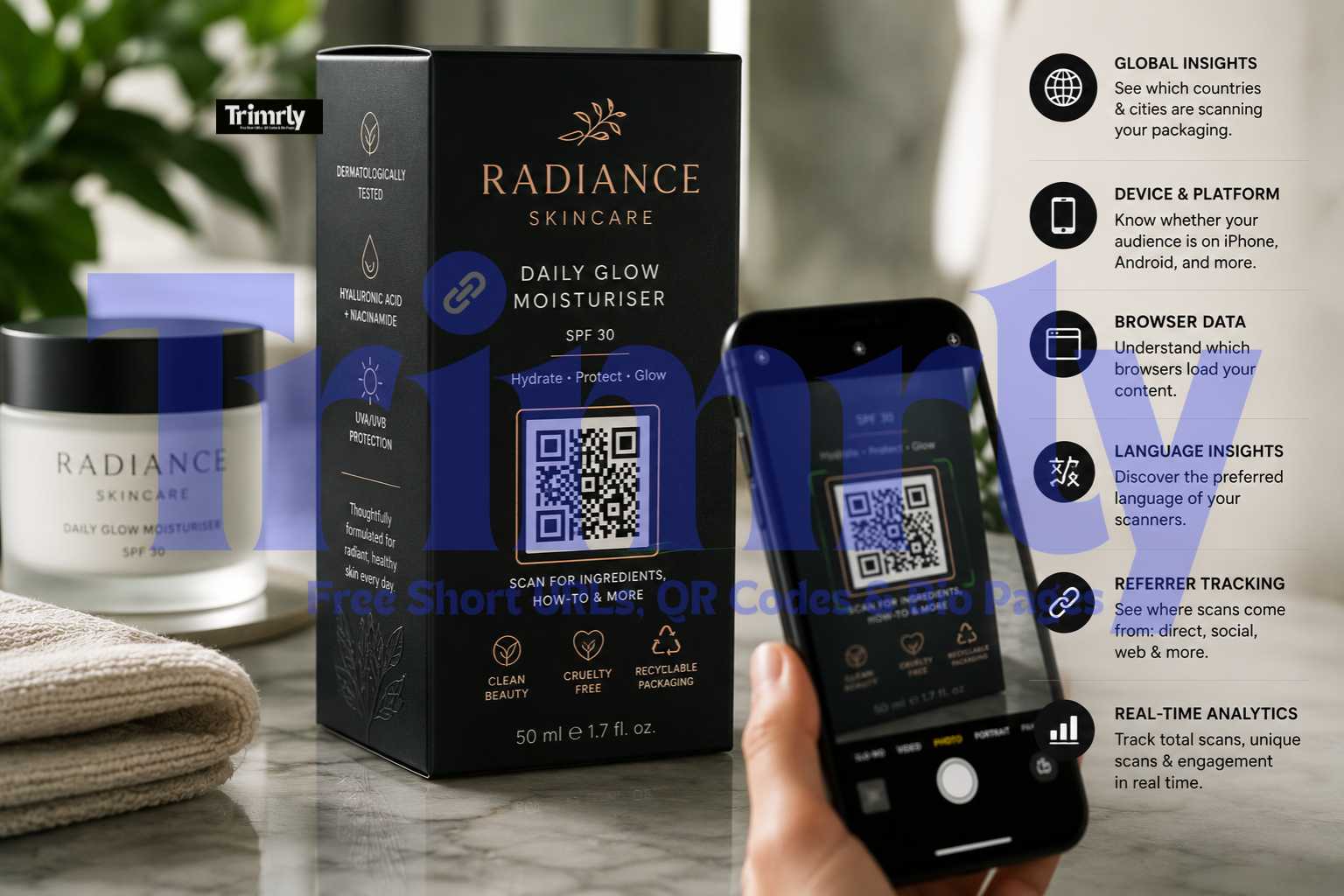
A skincare brand based in Austin, Texas launched a new moisturiser in Q4 2024. The packaging was premium matte black with embossed lettering. The QR code on the back panel linked to the brand's homepage. Post-launch, their Trimrly dashboard showed 1,400 unique scans in the first 90 days. When they switched the destination to a dedicated product page with usage instructions, ingredient sourcing, and a reorder button, scans dropped slightly to 1,200 per 90 days, but the post-scan purchase rate doubled. Same packaging, same print run, same QR code. Just a different destination that matched what customers scanning a skincare product actually wanted to know.
That single change was possible because the code was dynamic. The packaging was already printed and in stores. No reprint, no new plates, no added cost. The destination updated in 20 seconds from a phone.
This guide walks through every decision involved in getting packaging QR codes right from the start, and fixing the ones that are not.
What a Packaging QR Code Actually Looks Like in Practice
Before diving into setup decisions, it is worth being specific about what a well-executed packaging QR code does for the customer. The person holding your product has already bought it or is considering buying it. They are in a high-intent moment. The QR code is your only channel to extend that moment into something deeper.
What happens after the scan matters as much as the scan itself
The QR code on the back of this box links to a mobile-first product page with ingredient sourcing, a how-to-apply video, customer reviews specific to this SKU, and a reorder button with a pre-filled cart. Every scan is tracked in Trimrly with a timestamp, device type, and location.
When the product formula changes in six months, the destination updates in 20 seconds. The code on the packaging never changes. No reprint required.
Dynamic vs Static: Why This Is Not Optional for Packaging
Packaging has a long shelf life. A print run of 10,000 boxes produced today may still be in retail distribution or customers' homes 18 months from now. A static QR code embeds the destination URL directly in the code pattern itself. If that URL ever changes, breaks, or redirects incorrectly, every box already printed and every box still in storage carries a permanently broken code.
A dynamic QR code stores a short redirect URL that never changes. The destination it redirects to is stored in your Trimrly dashboard and can be updated instantly at any time. The code printed on the packaging is identical whether you are redirecting to a launch page, an updated ingredients list, a seasonal promotion, or a Google review link. The printed code never changes. Only the dashboard setting changes.
A packaging reprint to fix a broken or outdated static QR code costs the full unit economics of a new print run: plates, setup fees, materials, and lead time. At commercial print volumes, this typically runs from $2,000 to $15,000 depending on packaging complexity. A dynamic code that lets you update the destination in 20 seconds for free is not a feature choice. It is a risk management decision. Use a dynamic code on every piece of packaging, always.
What to Link Your Packaging QR Code To
The most common destination mistake in packaging QR codes is linking to a homepage. The person scanning your packaging already has your product. They do not need to be introduced to your brand. They need something product-specific that answers the question they are holding in their hand.
Ingredients & Sourcing Page
57% of consumers scan food packaging QR codes specifically to check ingredients. A mobile-first page with clean ingredient lists, sourcing origins, and certifications is the highest-converting destination for food, beverage, and personal care products.
Highest scan rate in CPG
How-To Video or Usage Guide
Products that require assembly, preparation, or technique benefit enormously from video. A scan-to-watch experience that shows exactly how to use the product reduces returns, increases satisfaction, and drives repeat purchase. Particularly effective for tools, cosmetics, and food.
Reduces returns
Reorder Page with Pre-Filled Cart
For consumables, a QR code that opens a reorder page with the product already in the cart is the single highest-revenue destination. The customer scanned because they are running low. One tap completes the purchase. No navigation required.
Highest revenue per scan
Sustainability & Recycling Guide
Younger demographics particularly engage with sustainability content. Brands adding QR codes linking to ingredient sourcing and environmental data see a 17% higher purchase likelihood among eco-conscious consumers. A recycling guide is useful, shareable, and builds brand trust.
Strong with Gen Z/Millennials
Review Page or Google Reviews
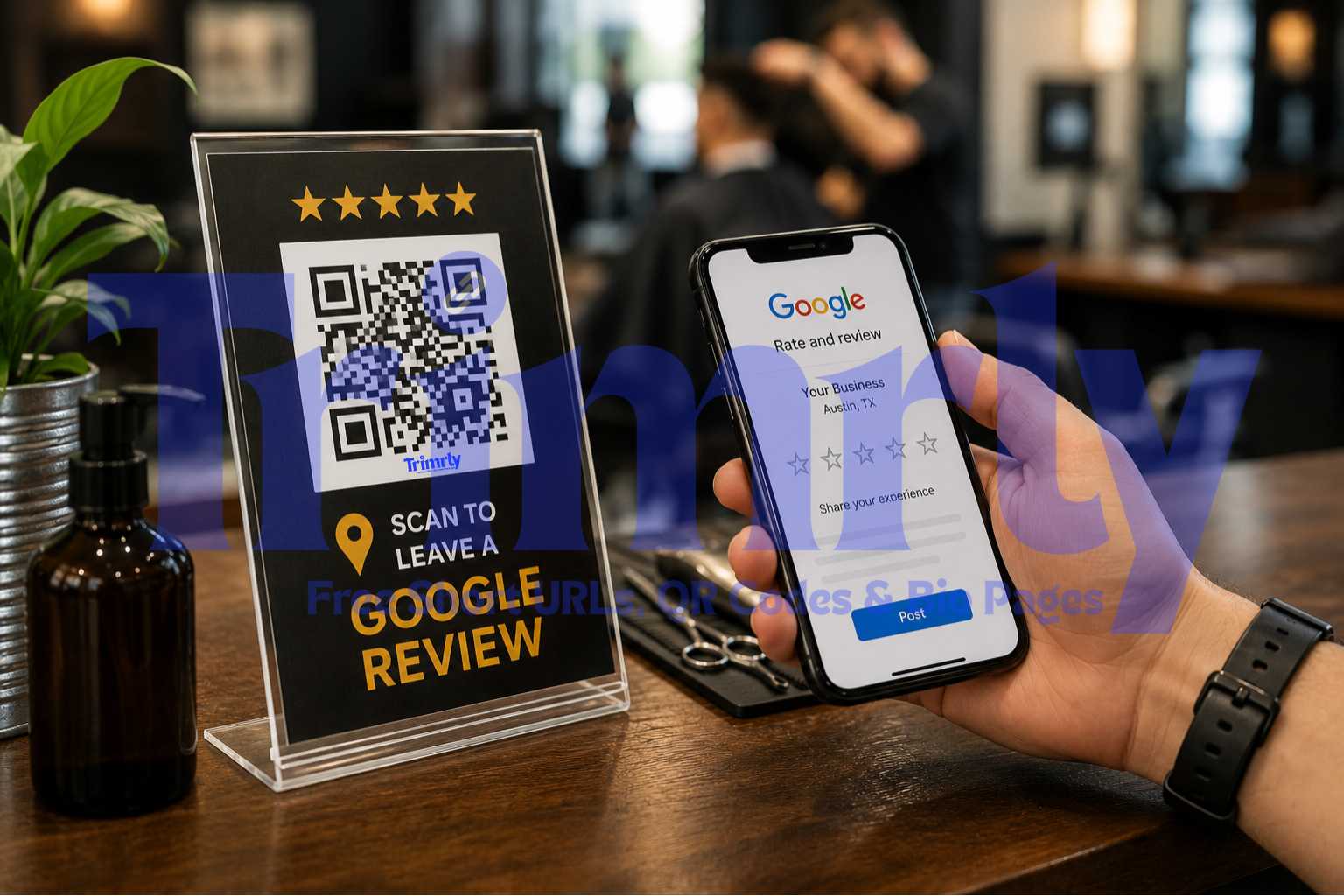
Post-purchase is the optimal moment to ask for a review. The customer has the product, has likely used it, and is holding the packaging. A "How did we do?" message with a QR link to your Google review page captures reviews at the highest satisfaction moment in the product lifecycle.
Post-purchase review capture
Your Homepage
Generic entry point designed for visitors who do not know you yet. Packaging scanners already bought your product. A homepage does not answer any question they have at the moment of scanning and results in immediate drop-off for most visitors.
Avoid as primary destination
If your packaging needs to serve multiple purposes at once (ingredients, videos, reviews, and reorder), a Trimrly bio page as the destination gives the scanner one clean mobile page with four or five clearly labeled buttons. One QR scan, multiple destinations. Each button tracks its own clicks independently so you know which content your packaging audience uses most. Free to create, no extra setup required.
Size, Contrast, and Quiet Zone: The Technical Rules That Cannot Be Skipped
These rules are not guidelines. They are the technical thresholds below which scan reliability fails. Violating any one of them means a percentage of your customers will point their camera at the code, nothing will happen, and they will move on with a slightly worse impression of your brand.
Minimum size by packaging surface
2 cm × 2 cm
Absolute minimum for standard hand-held packaging viewed from 15 to 30 cm.
Minimum
2.5 cm × 2.5 cm
Recommended for product boxes, pouches, and labels in retail environments.
Recommended
3.5 cm × 3.5 cm
Ideal for outer cartons, shelf displays, and anything viewed from arm's length.
Ideal
Under 2 cm × 2 cm
Fails on older cameras and in low light. Never use at any scan distance.
Never
Contrast requirements
Dark modules on a light background is the only reliably scannable configuration. The minimum contrast ratio between QR modules and background is 3:1. Black on white always works. Dark navy on white works. Dark blue on light beige works. What consistently fails: dark modules on a dark background, light modules on a white background, and any color combination where the packaging design has similar lightness values for both elements.
The most common packaging contrast failure is placing a dark QR code directly on a full-bleed product photography background. If the photo contains areas of similar darkness to the QR modules, those areas visually contaminate the code boundary and cause scan failures. Always place the QR code on a clean flat panel, a white box, a light stripe, or a clearly differentiated background area.
Quiet zone: the silent rule
Every QR code requires a quiet zone, a border of empty space on all four sides equal to at least 4 modules wide. This is the breathing room that tells the scanner where the code begins and ends. Trimming the quiet zone to fit more design elements on the panel is the single most common cause of scan failures in otherwise well-designed packaging. Crop any design element, move any text block, use a slightly smaller packaging font if necessary. Never compromise the quiet zone.
Print File Format: SVG Always, JPEG Never
| Format | Print Quality | Scan Reliability | Use It? |
|---|---|---|---|
| SVG (vector) | Perfect at any size | Maximum — crisp module edges | Always for packaging |
| PDF (vector embedded) | Perfect if vector source | Maximum — same as SVG | Yes, for print-ready files |
| PNG at 300+ DPI | Good at small sizes | Good — minor edge softness | Acceptable, 300 DPI minimum |
| PNG at 72 DPI | Blurry when printed | Poor — pixelated modules | Never for print |
| JPEG (any resolution) | Compression artifacts | Poor — damaged module edges cause failures | Never for QR codes |
Trimrly's QR generator downloads in SVG format directly. Take the SVG file and place it into your packaging design file in Adobe Illustrator, InDesign, or Figma. Do not rasterise it. Keep it as a vector object. When you export the final packaging artwork as a print-ready PDF, the QR code will be embedded as a vector and will print at maximum quality at any size your print supplier requires.
Step-by-Step: Creating Your Packaging QR Code on Trimrly
Create a free Trimrly account
Go to trimrly.com/user/register. No credit card. The free plan includes 20 dynamic QR codes per month with permanent full analytics. If you are creating codes for multiple SKUs, a single account manages all of them in one dashboard.
Shorten your destination URL first
Before generating the code, paste your destination URL into Trimrly's URL shortener and create a readable alias such as trimrly.com/productname-guide. A short link in the code rather than the full destination URL produces a simpler code pattern with fewer modules, which scans faster and more reliably at small print sizes.
Generate the QR code at trimrly.com/free-qr-codes-generator
Paste your short link as the destination. Name the code clearly (product name, SKU, and packaging run date) so it is easy to identify in your dashboard months later. Set error correction to level H if you plan to add a logo inside the code. Level M is sufficient if no logo will be embedded.
Choose colors that match your packaging but maintain contrast
If your packaging uses a brand color scheme, you can set the module color to match your brand's primary dark color, as long as it maintains at least a 3:1 contrast ratio against the background panel where the code will be placed. Keep the background white or very light regardless of the rest of the packaging design.
Download as SVG
Select SVG as the download format. This is the only format your print supplier should receive. Place the SVG into your packaging design file without rasterising it. Size it to at least 2.5 cm x 2.5 cm in the layout and verify the quiet zone has at least 3 mm of clear space on all four sides.
Test on physical proof before approving the print run
Print a single proof copy at your print supplier's facility, not from a desktop printer. Scan the code on an iPhone, a mid-range Android, and the oldest smartphone available in your office. All three must scan in under two seconds without repositioning. Check your Trimrly dashboard and confirm all three test scans appear as unique entries. If they do, approve the run.
Monitor scan analytics after product launch
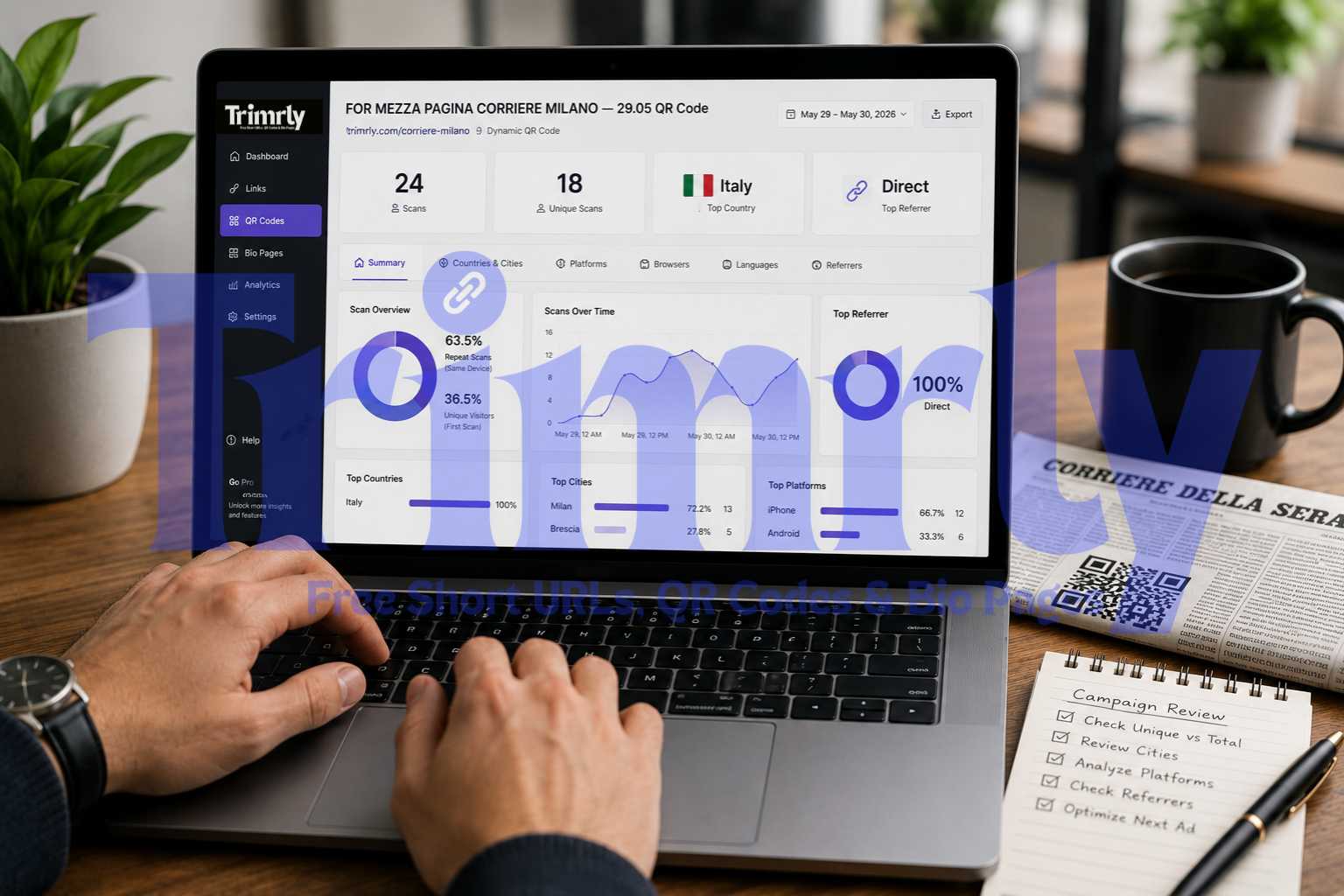
Check your Trimrly dashboard weekly after the product hits shelves. The Countries and Cities tab shows where customers are engaging geographically. The Platforms tab shows which devices your customers use, which informs how you optimise the destination page. The Referrers tab confirms scans are coming from direct camera use, not digital shares, validating that the physical placement is working.
Create Your Packaging QR Code Free
Dynamic codes with full scan analytics. SVG download for print. Update the destination anytime without reprinting. 20 free codes per month, permanent data, no credit card.
Industry-Specific Destination Recommendations
| Product Category | Primary Destination | Why It Works |
|---|---|---|
| Food & Beverage | Ingredients + sourcing + recipes | 57% of consumers scan specifically for ingredient information on food packaging |
| Skincare & Cosmetics | Ingredient list + how-to-apply video + reorder | Reduces returns, drives repeat purchase, answers ingredient questions pre-return |
| Electronics & Appliances | Video setup guide + PDF manual + warranty registration | Replaces paper manuals, reduces support calls, captures warranty data |
| Supplements & Wellness | Ingredient sourcing + certifications + dosage guide | Builds trust with health-conscious consumers; certification visibility increases purchase confidence |
| Clothing & Apparel | Care guide + sizing info + styling lookbook | Reduces size exchange returns, extends post-purchase brand engagement |
| Pet Products | Ingredient sourcing + vet certifications + feeding guide | Pet owners are high-intent scanners; trust signals at scan convert to repeat purchase |
| Home Cleaning & Household | Usage tips + safety information + sustainability content | How-to content and green credentials both drive engagement with eco-conscious buyers |
"61 percent of consumers scan packaging QR codes post-purchase. That scan is not curiosity. It is the highest-intent moment in your entire customer journey, and most brands waste it with a homepage link."
Common Packaging QR Code Mistakes
- ✕
Using a static code on a product with a multi-year packaging life. Regulatory changes, URL migrations, discontinued pages, and seasonal content updates all happen within the average lifespan of a packaging print run. A static code that cannot be updated is a liability, not an asset.
- ✕
Placing the code on a surface that cannot lie flat for scanning. Round containers, cylindrical packaging, and heavily curved surfaces prevent cameras from resolving the code correctly. Place the code on the flattest available panel or surface of the packaging.
- ✕
Printing the code on matte black or other dark surfaces without a white backing panel. Dark backgrounds on dark module colors fail the 3:1 contrast requirement. Either use a white box or light panel behind the code, or invert the code to white modules on a dark background only when the contrast ratio is verified.
- ✕
Exporting as JPEG and sending to the print supplier. JPEG compression adds visible artifacts to the hard edges of QR modules. Those artifacts cause scan failures on a percentage of devices. Always SVG, always vector.
- ✕
Never checking scan analytics after launch. Without checking your Trimrly dashboard, you have no idea whether customers are actually scanning, which countries are scanning, whether the destination is loading correctly on the devices your customers use, or whether the code placement needs adjustment in the next print run.
- ✓
Adding a "Scan for [specific benefit]" label next to the code. An unlabeled QR code gets scanned by fewer customers than one with a one-line label telling them what they will get. "Scan for recipes," "Scan for ingredient sourcing," or "Scan for setup guide" each increase scan rates by giving the customer a reason before the tap.
- ✓
Updating the destination to match seasonal campaigns. The same QR code on shelf during your summer campaign can link to summer recipes. During the holidays it can link to gifting bundles. In January it can link to your sustainability report. The packaging never changes. The destination does.
Frequently Asked Questions
Always dynamic for packaging. A static code embeds the destination URL directly in the code pattern and cannot be changed after printing. Product packaging has a long shelf life, and destinations change: URLs get updated, pages get redesigned, seasonal content rotates, and compliance requirements evolve. A dynamic code lets you update the destination in seconds from your Trimrly dashboard without reprinting a single box. The cost of a static code becoming outdated during a print run is a full reprint job.
The absolute minimum for hand-held packaging viewed from 15 to 30 centimetres is 2 cm x 2 cm. The recommended size for most product packaging is 2.5 cm x 2.5 cm, which scans reliably on all devices including older cameras in typical retail and home lighting. For outer cartons or shelf displays viewed from greater distance, use 3.5 cm x 3.5 cm or larger. Always leave a quiet zone of at least 3 to 4 mm of clear space on all four sides of the code. Test on an actual printed proof before approving a full print run.
SVG is the correct format. It is a vector file that scales to any size without losing quality or introducing artifacts. Trimrly's QR generator downloads in SVG format directly. Place the SVG into your packaging design file in Illustrator, InDesign, or Figma without rasterising it. Export the final packaging artwork as a print-ready vector PDF. Never use JPEG for QR codes at any resolution: compression artifacts damage module edges and cause scan failures.
Product-specific content that the customer holding the product actually wants: ingredient sourcing, a usage guide, a how-to video, a reorder page, or a review link. Do not link to your homepage. The person scanning your packaging already knows your brand. They need information specific to the product they are holding. 57% of consumers scan food packaging QR codes specifically for ingredient information. 61% scan post-purchase to access recipes, manuals, or exclusive offers. Match your destination to what your product category's customers are actually looking for.
Every dynamic QR code generated through Trimrly tracks all scan data automatically. The free dashboard shows total scans, unique scans, country and city breakdown, device type, browser, language, and referrer for every scan event. Data is stored permanently with no expiry. For packaging sold in multiple regions or through different retail channels, create separate QR codes per SKU or region in your Trimrly account. Each code tracks its own scan data independently, letting you compare performance across markets or product lines.