A URL shortener is one of the simplest tools in a marketer's stack. Paste a long URL, get a short one, share it. The mechanics are not complicated. And yet the mistakes people make with URL shorteners consistently undermine the campaigns and content strategies they are meant to support.
The damage is often invisible. A link that broke three months ago is still on a printed flyer somewhere. A campaign that generated 400 clicks looks like it drove zero attributable conversions because nobody tagged the UTM parameters. A QR code on a packaging insert is sending scans to a page that 404'd when the product was discontinued — and nobody noticed because the dashboard only shows clicks that resolve.
Every mistake in this guide is preventable. None of them require technical expertise to fix. Most take under five minutes once you know what to look for. The goal is a complete checklist of what can go wrong — and exactly what to do instead.
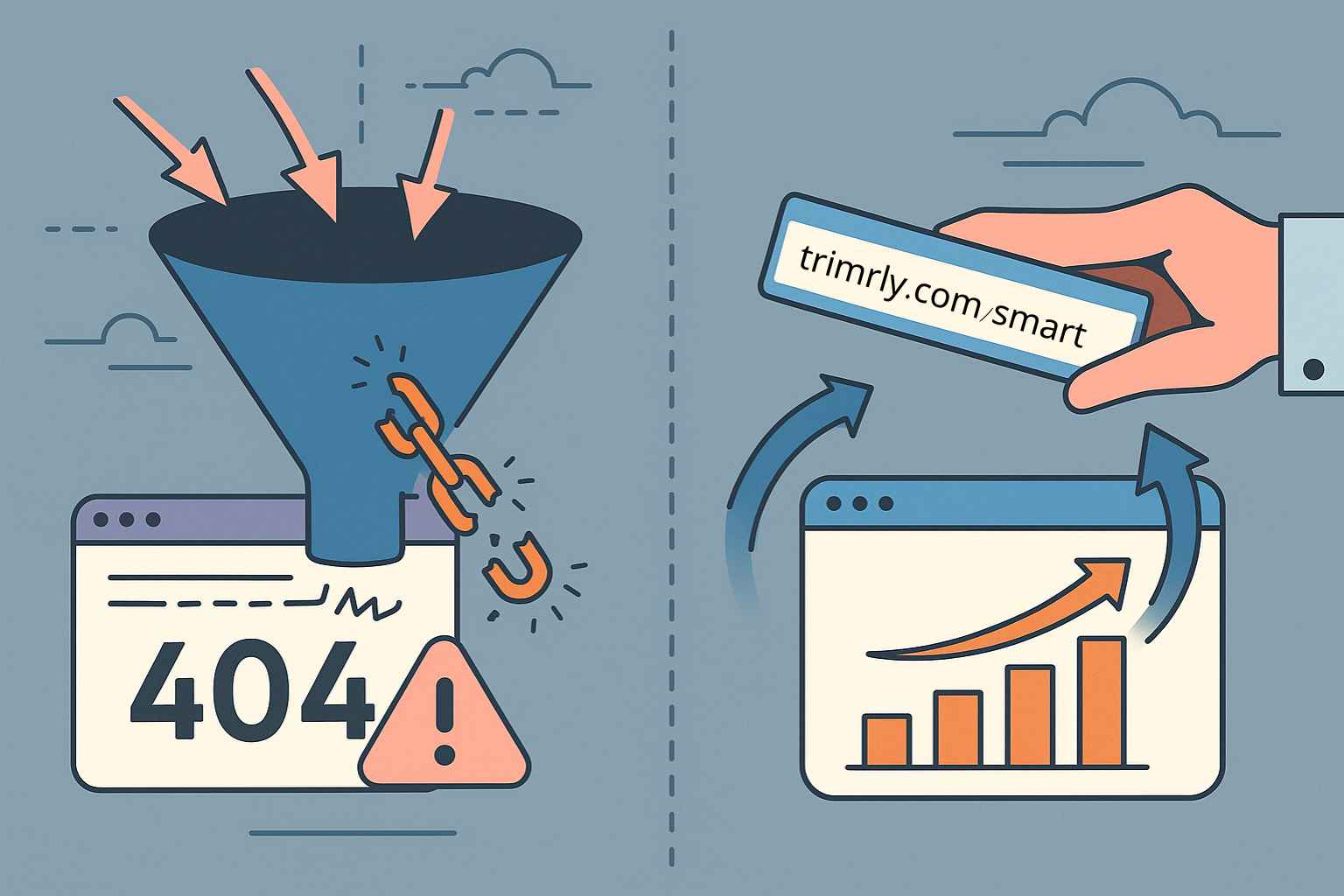
A static short link permanently encodes its destination at the moment of creation. If the destination URL ever changes — because a product is discontinued, a landing page is restructured, a campaign ends, or you migrate to a new platform — the link is broken forever. Every physical item carrying it (business cards, flyers, QR codes, packaging, signage) now delivers a 404 error to everyone who clicks or scans it.
The insidious part: you often will not know it is broken. Unless someone tells you, broken static links can sit in circulation for months. A packaging insert QR code on 5,000 units shipped in January will still be reaching customers in June. If the destination broke in March, you lost four months of repeat-purchase opportunities silently.
Use only dynamic Trimrly short links for anything that touches a physical material or stays live longer than the campaign it was created for. In Trimrly, every link is dynamic by default — update the destination anytime in seconds from your dashboard. Set a quarterly calendar reminder to manually test your most important links by pasting them into a private browser window.
The default output of most URL shorteners is a random alphanumeric string: trimrly.com/x7Kp2 or bit.ly/3mQz9R. These work as redirects. They do not work as trust signals. Branded, readable short links receive up to 39% more clicks than generic random-string links. The mechanism is simple: a link that reveals nothing about its destination triggers security hesitation in 67% of users. A link that says trimrly.com/summer-sale tells the reader exactly what they are clicking.
Random-string aliases also make your analytics dashboard unreadable three weeks into a campaign. A list of aliases like /x7Kp2, /mRq8T, and /pBz3X tells you nothing about which is the LinkedIn link, the email link, or the packaging QR. You cannot optimise what you cannot read.
Always replace the auto-generated string before saving. Use a consistent naming format: [brand]-[channel]-[campaign]-[month]. Example: trimrly.com/brand-li-summer-may. Readable, memorable, and self-documenting in your dashboard months later. In Trimrly, the alias field is editable before you save the link — never leave the default.
A Trimrly short link tracks clicks at the redirect layer — you know how many people clicked. But GA4 only knows where that click came from if the destination URL carries UTM parameters. Without them, every click from every social post, every email, every QR code, and every WhatsApp message arrives in GA4 as (direct) / (none) — indistinguishable from a typed URL or bookmarked page.
This is how marketing departments justify significant budget to channels that GA4 cannot see. The clicks exist. The conversions exist. They are invisible in the reports that determine where the next budget goes. An untagged Instagram bio link, an untagged email CTA, and an untagged packaging QR can all be driving consistent revenue — and all three appear as "direct" in GA4 with no way to separate them after the fact.
Build the UTM-tagged destination URL first, then paste it into Trimrly. The short link wraps the tagged URL. GA4 reads the parameters on page load and attributes the session correctly. Use lowercase throughout — GA4 is case-sensitive. Build a shared Google Sheet with dropdown menus for UTM values and an auto-generating formula so every team member uses consistent naming.
Creating one short link and sharing it on Instagram, LinkedIn, in an email newsletter, and in a WhatsApp group simultaneously is efficient to set up and catastrophic for attribution. Your Trimrly dashboard shows total clicks — but cannot show you LinkedIn clicks vs Instagram clicks vs email clicks, because every one of those came through the same alias. You spent a week producing content across five channels and you have no idea which channel drove what.
This is especially damaging during budget reviews. When the head of marketing asks "which channel is driving traffic?", the answer is "we cannot tell" — because every channel was using the same link. The next budget cycle is decided by gut feel rather than data. Channels that work get defunded. Channels that do not work get expanded.
Create one Trimrly alias per channel per campaign. For a product launch: trimrly.com/launch-ig for Instagram, trimrly.com/launch-li for LinkedIn, trimrly.com/launch-em for email, trimrly.com/launch-wa for WhatsApp. All point to the same UTM-tagged destination URL with different utm_source values. 30 seconds to create. Permanent attribution data.
A QR code encodes its destination URL as a matrix of black and white squares. The longer the URL, the more squares required, the denser the pattern, and the harder the code is to scan — especially at small sizes or from a distance. A full UTM-tagged URL produces a significantly more complex QR pattern than a short alias like trimrly.com/summer-flyer.
Beyond scan reliability, a QR code generated directly from a URL is static. If the destination moves, the code is permanently broken. All printed materials must be reprinted. A QR code generated from a dynamic Trimrly short link can be redirected to a new destination in 20 seconds — no reprinting, no broken codes.
Always generate QR codes from a Trimrly short link — never from the raw destination URL. Workflow: build UTM-tagged URL → paste into Trimrly → create readable alias → generate QR from the short link → download as SVG for sharp print at any size. Test scan on both iOS and Android before the print run.
What These Mistakes Look Like Together: A Real Marketing Audit
Four Mistakes, One Audit, £14,000 in Previously Invisible Monthly Revenue
A small UK e-commerce brand selling premium skincare had been using URL shorteners for two years. Their marketing team of three ran active campaigns on Instagram, LinkedIn, email, and through packaging inserts in every order. GA4 consistently showed a large "direct" traffic bucket that no one could explain, and "social" traffic that appeared chronically underperforming relative to their follower counts.
In Q3 2025, an analytics consultant ran a link audit and found four problems active simultaneously. First: every channel used the same Bitly alias — no platform attribution possible. Second: none of the destination URLs had UTM parameters — all click traffic was landing in GA4 as direct. Third: two packaging insert QR codes were static codes pointing to URLs that had been restructured three months earlier during a site migration — every scan was hitting a 404. Fourth: analytics on their Bitly free plan had stopped recording after the tracked-click cap was hit in week two of the previous month.
After implementing Trimrly with channel-specific aliases, UTM-tagged destinations, dynamic QR codes, and permanent analytics, the same campaign activity generated 40% more attributable sessions in GA4 than the prior month — no change in spend, no change in creative. The packaging insert QR codes alone — once fixed — drove 220 scans in the first two weeks with a 6.8% conversion rate to purchase. At an average order value of £47, that represented approximately £2,800 per month from one fixed broken QR code.
GA4 is case-sensitive and treats every unique UTM value as a separate entity. A team of three people without a documented naming convention will produce utm_source=LinkedIn, utm_source=linkedin, utm_source=LinkedIn-organic, and utm_source=linked-in over six months — four separate source rows in GA4 representing the same channel that cannot be merged retroactively. Cleaning this data is tedious, error-prone, and often incomplete.
Document your approved UTM values before the first campaign. Enforce lowercase-only, hyphens instead of spaces, and a year suffix on all campaign names. Build a shared Google Sheet with dropdown menus for approved values and a formula that generates the full tagged URL automatically — eliminating manual errors entirely.
UTM parameters tell GA4 to start a new session and attribute it to the specified source. When you tag a link on your own website that points to another page on the same domain — a banner linking from your homepage to a product page — GA4 registers the internal click as a new session, overriding the original traffic source. A visitor who arrived from LinkedIn, then clicked your banner, now appears as a "banner" session rather than a LinkedIn session. The original attribution is permanently lost for that conversion.
UTM parameters belong only on links that originate outside your website and point to it. Never add UTM parameters to navigation links, blog post CTAs, homepage banners, or any internal link that stays within your own domain. Use GA4's internal link event tracking or custom dimensions to track internal click paths instead.
Some URL shorteners — including some free tiers of well-known platforms — store click analytics for a limited period (often 30 days) before deleting them. When you go back four months later to compare campaign performance, the data is gone. Analytics that expire are not analytics — they are a leaky bucket that looks full until you need the water. Evergreen content, long-running packaging campaigns, and QR codes that stay in the field for months generate clicks over extended periods. Monthly resets mean you are always seeing fragments of the real picture.
Trimrly stores click analytics permanently on every plan including free — no monthly reset, no 30-day expiry, no data that disappears between reporting periods. Before committing to any URL shortener platform, confirm explicitly whether analytics history is permanent or subject to expiry.
A QR code that promises "15% off your next order" and delivers a homepage with no visible offer will convert at a fraction of the rate of the same code sending users to a dedicated page built for one action. Every additional navigation step the visitor has to take after the scan is a dropout opportunity. A homepage with twelve navigation options asks the scanner to do work they did not agree to do.
Match the landing page to the promise of the QR code with absolute precision. "Scan to rebook" → a booking page with the service pre-selected. "Scan to claim your 15% off" → a discount code page with the code visible immediately on load. "Scan to leave a Google review" → the direct review link that opens the star rating screen. One page, one action, zero navigation required.
When a URL shortening service closes, all your short links stop working — causing broken links and permanent loss of traffic. Google shut down goo.gl in 2019, with active links ceasing to function by August 2025. Any business or creator who had built printed materials, evergreen posts, or video descriptions around goo.gl links lost all of that traffic permanently. The links on business cards, in YouTube video descriptions, and on printed flyers simply stopped working.
Choose platforms with transparent business models and an established paid tier that funds operations. Export a CSV of your most important active links periodically — so you have the destination URL for every alias if you ever need to recreate them on a new platform. For highest-stakes printed materials, use a dynamic link so you can migrate the destination without reprinting if you ever switch platforms.
Fix Every Mistake on This List — Free
Dynamic links that update without reprinting. Readable aliases that get 39% more clicks. Permanent analytics that never expire. Zero ads on your links. 50 links and 20 QR codes per month, all included.
Your 10-Point URL Shortener Audit Checklist
Run through this list for your current short link setup. Every item you cannot check off represents one of the mistakes above.
Every short link is dynamic — I can update the destination without reprinting anything
Every alias is readable and descriptive — no random strings in any live link
Every campaign link has UTM parameters on the destination URL — nothing going to GA4 without tagging
I use a different alias per channel per campaign — LinkedIn, email, and Instagram never share an alias
All QR codes were generated from Trimrly short links — not from raw destination URLs
My UTM naming convention is documented and shared with everyone who creates campaign links
I have NOT added UTM parameters to any internal links on my own website
My analytics platform stores data permanently — no 30-day expiry or monthly resets
Every QR code destination matches the specific promise of the code's CTA — no generic homepages
I have tested every active QR code and short link manually in the last 30 days
"A broken link is not a technical problem. It is a customer relationship that ended without you knowing."
Frequently Asked Questions
Open a browser in private or incognito mode, paste the short link, and follow the redirect. If you reach the intended destination, the link is working. If you see a 404 error, a redirect loop, or a page that no longer matches what you intended, the link is broken or outdated. For dynamic Trimrly links, you can also check the current destination directly in your dashboard without visiting the link. Set a quarterly calendar reminder to manually test your top ten most-used links.
No. UTM parameters are tags appended to the end of a URL that are read by analytics platforms and then stripped from what is displayed in the browser address bar. Visitors see the clean destination URL. They do not see the UTM parameters and their browsing experience is completely unaffected by their presence. UTM parameters are invisible to the visitor and visible only to your analytics platform.
Trimrly records a click at the redirect layer — the moment someone requests the short link URL, before the destination page loads. GA4 records a session when the destination page fully loads and the GA4 tracking script fires. The gap between these two numbers represents visitors who clicked the link but left before the page loaded — typically due to slow mobile load times, a poor connection, or a page error. A gap greater than 10–15% signals a mobile performance problem on your landing page worth investigating.
Links created on a Trimrly account remain active as long as the account is active. If you close your account, links associated with it will stop resolving. This is the core reason to maintain your account as long as any live materials carry a Trimrly link — especially printed materials like packaging, signage, and business cards that you cannot easily update. Before closing any URL shortener account, export a list of your active links and their destinations so you can recreate them elsewhere if needed.
In terms of immediate, measurable traffic loss: a static QR code or short link on printed materials that breaks when the destination URL changes. This single mistake can silently cut off all traffic from every physical touchpoint simultaneously — packaging inserts, business cards, flyers, signage — for weeks or months before anyone notices. In terms of attribution damage that corrupts decision-making: missing UTM parameters across all campaigns, which makes it impossible to know which channels actually drive conversions and leads to systematically wrong budget allocation decisions.